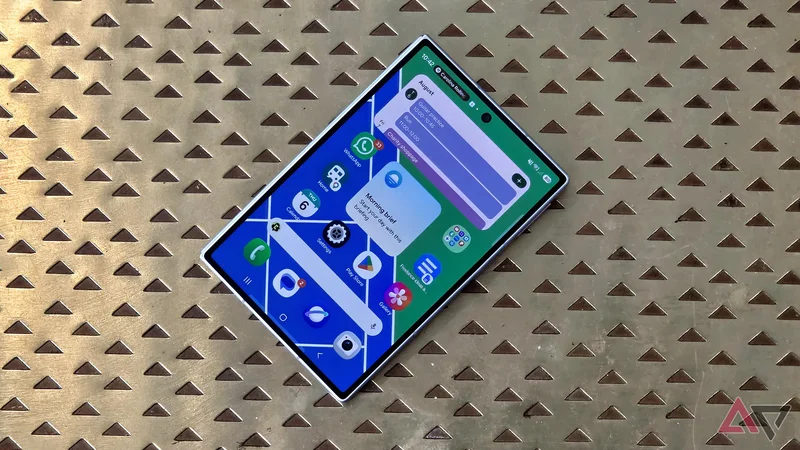
Space on your Android phone's home screen is valuable. Each page has at most 25 spaces for apps, and fewer if you opt for a smaller grid ratio or use space-hogging widgets.
So you must carefully pick what goes on the page, especially the main one, which you see the most. Some people streamline by only using widgets, and others learn to bypass their home screen entirely.
I don't have any such elegant solution. I've had to push some of my most-used apps — the folder of pre-installed Google apps — to page two. It's for a good cause, though, because I found a must-use widget.
Why I needed the perfect calendar app
What your home screen is really for
The first page of your home screen is for the most important apps and widgets. On various phones, I've used it for weather reports, WhatsApp and other communication tools, and links to important Google Docs documents.
I have a very simple test for when something begins on the first page and I push it to a later one. If I find myself constantly swiping to a second or third page to find it, that's a clear indicator that it needs a prominent place on my phone.
One important thing I want to see is my itinerary. I save my important events and reminders to Google Calendar, and have shared calendars, which other people add events to (often without telling me).
I could put a link to the Google Calendar app, but I want something more useful. I want to see my events at a glance, without opening an app to remind me of things I've forgotten.
So for a few months, I've been experimenting with various calendar apps and their widgets. I've tried Chronus, built widgets on KWGT Widget builder, and trawled through the app store downloading random calendar apps.
But I was overthinking things. When I moved to the Samsung Galaxy Z Fold 8 and started setting up my widgets, I discovered a Google Calendar option I'd overlooked.
To make space, I had to move the Google apps onto page two — and I don't regret a thing. As per my previous test, I now barely swipe to the second page to find them, proving my decision was the right one.
The scrolling Google Calendar widget
See your schedule on your home screen
There are several Google Calendar widgets. Most show you a grid of all the days of the week or month, with your saved events superimposed over the top.
I find these consume more consuming than they're worth, and that's something other Android Police writers agree with. However, the Google Calendar widget I discovered isn't anything like that.
It's called Calendar schedule, and by default it takes up a 2x2 space on your Android home screen. You can resize it to be wider, which is what I did, and also longer if you don't mind it taking up more space.
Calendar schedule shows you a long list of the upcoming events saved in your calendar. Like in the app, they'll show you the time and which of your calendars it's saved in, broken down by day.
I use a wide short widget. It shows me the next day or two days of events, but if you have a busy schedule, you'd benefit from the longer one.
I find this widget useful to have on my home screen. At a glance, I can see what's coming up. If I've scheduled piano rehearsal time, for example, have a deadline I've penciled in, or have an event with my partner, it's impossible to miss.
As in the calendar app, events are color-coded based on which of your calendars they're saved under. I can easily see if I have an upcoming personal task, work commitment, event with my flatmate, or public holiday.
There's also a small + button, so you can add a new event quickly without opening the Calendar app.
Deciding on a home page priority order
Since there are so many apps that are pre-installed on an Android phone, it's sometimes hard to decide what's important for your front page, and not just an app that is installed on the front page.
The pre-installed Google folder has apps like YouTube, Drive, Maps, and Chrome, and I use all of these. That's why I used to keep the folder where it began: at the front of the user interface.
However, finding widgets like Calendar schedule reminds me that other tasks are more important. I gain more information from the Calendar, and most Google apps aren't helpful, which is why there are seven I delete every time I start up a phone.