Whenever I had a few spare minutes, I'd instinctively open Instagram or Reddit and start scrolling. It was an easy habit to fall into, but I rarely remembered anything I'd seen after I put down my phone.
I wanted something that felt just as effortless to browse without leaving me feeling like I'd wasted my time.
Surprisingly, one overlooked Google app ended up scratching the same itch while feeding my curiosity.
This underrated app made scrolling feel worthwhile
Google's Inspire feed kept me coming back
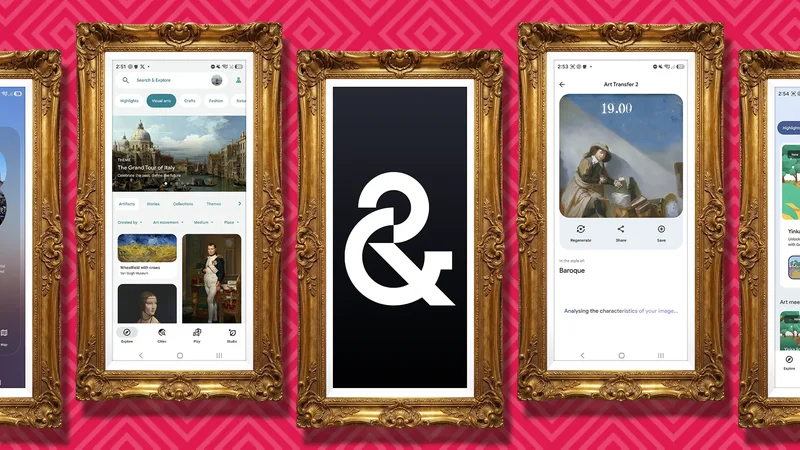
At first glance, Google Arts & Culture looks like another educational app, but it didn't take long to realize it could work like a social media feed.
The app's Inspire Feed serves a personalized stream of artwork, historical events, cultural stories, architecture, photography, and more, all in bite-sized posts that are easy to swipe through.
One minute I'd be reading about an ancient artifact, and the next I'd be exploring a famous painting or a place I'd never heard of.
Unlike social media, where I often forget what I just looked at, I usually learn something new or discover a topic I wanted to explore further.
I could explore cities without planning a trip
I built a travel bucket list without opening Google Maps
One feature I didn't expect to spend so much time with was the Cities tab. Instead of overwhelming me with every attraction in a destination, it lets me pick a city and customize what I want to explore.
I could focus on top sights, visual arts, architecture, food and drink, sports, hidden gems, and more, making each city feel tailored to my interests.
Google has also expanded its city experiences with AI-powered guides that help users discover cultural landmarks and attractions based on their preferences.
After selecting a category, the recommendations appeared as swipeable cards, or I could switch to a map view to see where everything was located. When I came across a place I wanted to remember, I bookmarked it for later.
The Play tab made learning feel like a game
I kept coming back for the interactive experiences
While I spent most of my time browsing stories and discovering new places, I kept coming back to the Play tab whenever I wanted something more interactive.
I could try AI experiments, puzzles, trivia, coloring activities, and creative tools inspired by art, history, music, and culture.
There are also familiar favorites, like Art Selfie, which matches your selfie to portraits in museum collections, and Art Transfer, which transforms your photos using the styles of famous artists.
It's a refreshing change from the endless stream of short videos on social media, and one of the reasons I found myself opening Google Arts & Culture whenever I had a few minutes to spare.
Every swipe taught me something new
I never knew what I'd discover next
The more I used the Google Arts & Culture app, the more I realized I rarely knew what I would discover next.
One swipe might introduce me to the history of the samurai. The next could take me inside a famous museum, explain the origins of a traditional festival, or showcase breathtaking architecture from across the globe.
With content from over 2,000 museums and cultural institutions, there is always something new to explore.
If something caught my attention, I could open related exhibits, browse collections, or search for similar topics.
Unlike social media, where I often forget what I just scrolled past, I usually come away remembering a fascinating fact, an artist I'd never heard of, or a place I wanted to learn more about.
I visited world-famous museums without leaving home
I could zoom into masterpieces from my couch
Google Arts & Culture also gave me a new appreciation for museums I'd probably never get to visit in person.
The app lets you explore collections from museums and cultural institutions around the world, from the British Museum and the Van Gogh Museum to the Louvre and The Metropolitan Museum of Art.
Instead of browsing static photos, I could zoom into ultra-high-resolution artworks, read curator-written exhibits, and even take virtual Street View tours through museum galleries.
Sometimes I'd browse a museum's highlights, while other times I'd lose myself exploring exhibits and discovering the stories behind famous paintings and historical artifacts.
It felt like wandering through a museum at my own pace, without worrying about opening hours or admission fees.
Google also offers immersive experiences like Pocket Gallery, virtual reality tours, and Art Camera, making it easy to examine famous masterpieces in incredible detail.
I finally found a better way to scroll
Google Arts & Culture did not replace social media, but it has become the app I reach for when I have a few spare minutes and want to discover something new rather than mindlessly refreshing the same feeds.
Whether I am exploring a city, taking a virtual museum tour, or trying one of the Play tab's interactive experiences, I almost always learn something interesting.
If you are looking for a more rewarding way to spend your scrolling time, this overlooked Google app is worth downloading.