Transcript
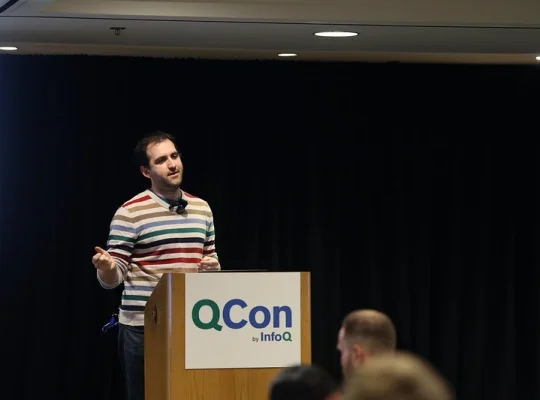
Nick DiStefano: My name is Nick DiStefano. I'm a Senior Staff Software Engineer at Uber Eats. I'm here to talk about this large-scale migration and the UI frontend technology change that we've been making. I'm going to start by going back to the beginning, where we started out, what kinds of questions we had to ask, and what the results have been. At the beginning, we're going to talk about the initial state, what are the motivations, what were the questions or the things that were driving this change, because it is such a big change. What were some of the things that we tried. The key challenge, the aspect that really pushed us over the edge to taking this step, which, at least for us, was a fairly drastic change and had a lot of controversy around it. Then we're going to talk about, once we decided that we want to do this, what do we really need to do to make it happen?
What does the stack look like? What are the core components? Then once we have the fundamentals in place, we're building these native apps, we're in Apple's and Google's sandboxes, what are the edge cases that we have to work around? The more complicated things will come up at scale. Then I want to talk about, again, it's one thing to build a prototype, it's one thing to have the tech stack, it's one thing to have the buy-in, but then you still have to do the migration. What's involved in figuring that out? We're talking about a huge scale of things. Then, what are the limitations? Or when we say we're now on a WebView stack, what does that mean? How is it different from just displaying a WebView? Because what we've done isn't really fully moving to web-only. It's this native-driven, single-page WebView architecture. We're going to get more into what that means.
Then I'll talk about when should you do this, or what are the limitations, or what are the things that we really did to make this work? Because traditionally, trying to do this cross-stack thing with mobile apps has been a holy grail that people have chased after, and there's always these issues with different cross-platform stacks. We're going to get into when we think this is a good idea and what the kind of infrastructure that you have to have in place to make it successful is. It has been very successful, and we're happy with where we've gotten.
Initial State and Motivations
First, to take it back to the initial state. We had these native app screens, and they're built using traditional native stacks, native-first design, talking about hundreds of screens, hundreds of devs. The analytics is a big piece of this too, we're talking about thousands of metrics logged. Then there are hundreds of metrics built on top of that to try to measure key performance indicators around different parts of the shopping funnel. All this complexity exists, it's existed for years. There are hundreds of people working on this. What are the core questions, or why is it that we want to make some change to this? We're talking about very intricate UI transitions, timing, and flows that go from the home feed into all these different search pages, and all the way through the shopping app. You have the store page, you have checkout. We didn't start by migrating these all together, we started with one of the more complex feeds, and we'll talk more about that and the overall migration strategy later on.
One of the big things that was always coming up, one of the reasons why, not just us, but I think a lot of companies that are frustrated with native development is you don't have full ownership of the stack. You always want to be able to control things, make changes, experiment quickly, but because you're shipping these binaries to the Apple and the Google Play Store, you don't have that control that you want. How can we easily make changes without being beholden to Apple's and Google's review processes? How do we iterate as quickly as people are used to when you're building a website, or as they're used to when you're building something that's fully backend driven? We have this native release cycle flow, and a ton of energy, even today, goes into, how do you manage this relationship with Google and Apple? How do you let them know, this is a change we made, here's how it complies with your rules?
What's the right cadence we should be shipping? Is it every week? Is it every two weeks? There are whole teams of program managers and tooling providers to help manage this cycle, which was originally built by Apple and Google for indie developers. Once you grow to this scale, there are problems that come up and complexities that you have to work directly with the app platforms on.
The underlying motivation is just to ship faster. You're going back to your execs and you're saying, we're delayed by Apple, we're delayed by Google. People get frustrated with that. The question comes up again and again, how do we ship faster? How do we regain control? How do we get this configurability? Of course, there's a reason that we're building these native SDKs. The UI is crisp. The transitions feel clean. Apple and Google really push you to do this, and you don't want to sacrifice user quality. There's this long tradition of like, just throw the WebView in there. You have a website, put it in the app. People notice, the UX doesn't feel crisp. It feels like shortcuts were taken. You end up in these weird edge cases, the UI is off screen. WebViews historically had a very bad atmosphere around them. There are all different types of things people have tried to be able to get that faster experimentation, and be able to say, what's the thing that we really care about?
What's the piece of this that we can move to the backend? There's this constant push to say, we want to build a presentation layer. Presentation for backend, do all the UI logic on the backend where we have full control, and then send it down to the app. The app's just going to do a lightweight piece of UI. Maybe it'll just do display. Then, depending on what you want to change, actually, you want to change this thing, you want to change that thing. There's a server-driven UI concept we spend a lot of time on. A lot of companies have had success with where you build layout components and you say, you have these Lego blocks and the app can arrange them in all these different ways. The backend needs to come up with some config, some kind of spec, and then you can ship it to the app.
This works really well if you have a really strict design language. You can say, designers, you can use these building blocks in this sandbox. Depending on how aggressive a lot of different constraints are, you're going to find that you want to ship more changes more quickly, and it just bleeds into being closer to native dev. On the other hand, if you're comfortable with working with this more limited set of UI constraints, it can work very well. For some use cases, we've had more success than others. One of the places where we did start to think more about WebViews is as you pull more of the complexity into the SDUI layer, your SDUI starts to look more like HTML. You're writing layout constraints. You're doing spacing. For us, this is written in Go. It starts to be like, isn't this just HTML? What would it take to push us a layer closer to that? Are we really just reinventing this DSL that just gets closer and closer to what's existed in the web community for years?
Key Challenge
There's one other motivation that really pushed us over the top, because again, this is controversial. There are all these stacks built in the native layer. There's a huge culture around it. There's another use case that we had that really pushed us harder to experiment with this, which is that we don't just have these native apps. We have the Android app. We have the iOS app. We also have ubereats.com, and we have the Rider app. For years, in the Rider app, we just did the WebView thing that I was talking about, where you just side load ubereats.com into there. It kind of works, and you can make orders, but it doesn't really have that crisp feel. Everyone will come to the native development teams, and they'll say, why is the Eats experience in the Rides app not as good as it is in the Eats app?
It's like, it's a huge native app. You have to import all these things. The binary size will get enormous. There's just a lot that has to happen there. Again, since most of the business still is in the native apps, everyone loves the native apps. That's where all the features go. Then it's like, we have ubereats.com, it didn't get this feature. We have the Rider app experience, it didn't get this feature. We have these integrations with partners like Instacart, and they're just getting this web stack. We have this shadow web stack that we're building anyways. We're not just building twice, once for Android and iOS. We also have this web business, and it's driving bigger and more growth-facing pieces of the business. We have this SDUI, and we have all this native ecosystem built around it. Then you start taking that SDUI that was built for native, and you try to put it in the web.
Now we're taking this Go-written DSL and trying to backport it into HTML, and it just feels backwards. It really pushed us to challenge those core assumptions that this can't be done, and to break it down into different components and try to say, if this did work, how would it work, or how could it be possible to get there?
Rebuilding Core Components
To start off with that, we need to start thinking about, what are the pieces that go into this? Or when I just shove ubereats.com into the Rides app or into a native app, why doesn't it work, or why doesn't it feel the way that we want it to feel? Before we get into the native stack, I just want to talk a little about the website stack. There are a couple of key constraints around this, or things that we really wanted to start with, and there are still hard constraints in the stack. One is that we have server-side rendering. This is really important for search engine optimization for a store page, but also for latency, we want to load really quickly. Then the kinds of things that tend to happen with bigger, more complex WebView stacks, is we're talking about hundreds of developers, so many teams, and their incentives are all just to make their feature work.
You get little pieces of JavaScript piling up here, piling up there, complexity grows, client-side state grows. We have a strong bias towards having very little JavaScript, as little as possible. Then there's still this Go backend, and now instead of trying to build our own DSL, we use this open-source library called Temple to generate HTML templates. Then, going into the mobile stack, again, you try to load the website. By default, you're going to get a login gate. Because we're not migrating the whole app at once. We're going to pick a slice, we're going to say, this screen, the home feed, we really want to experiment quickly on, how do we get much faster iteration times? You can't just load part of the website there. You're going to need all kinds of stuff to make this feel native, to make it feel like you're having the same experience you were before.
What do we need to build to make that possible? The first thing is authentication. You can't be browsing through your native app, and suddenly you have to log in. It makes no sense. It takes the user out of the experience, and just they're not going to know their password. Authentication is top of the list. Again, especially when you're starting out, it's maybe this page exists in a flow of other native screens, and you want to have a nav bar that's still native, and you want to have some dynamic behavior for how to update that. Then, wait, you have this native nav bar with a WebView under it, but you want to change some state on that. Now you're bridging back and forth between the web code and the mobile code. When you're loading, there's no website to show the initial loading state, so you need a native loading splash screen. Then you start to think about, how do we track these pieces? How do we understand error cases and load time? There's observability. There's a bunch of more fun things that start building when you start trying to reuse this for more than one screen.
To dig more into authentication, so when the user drops onto the page in the first place, by default, they're just going to hit this login key, which again, just garbage. What we have to do is figure out, how does the session storage work in the native app, and how we bridge that into the web world? There's a lot of thought that goes into that. On the identity team side, we ended up with this cookie-based solution where you have a native endpoint that exchanges your OAuth token for a cookie. Then you have to do that transaction before you show anything. There's a whole latency optimization step around that piece. Then you're handling errors, retries, logging. When you get it done, it looks like it's native. You can't tell, but the experience is seamless. That's one of those things that takes some digging into the stack and understanding, how does authentication work and how can you make that transition to make it seamless.
Then this is another one where you have some Chrome around your WebView. Maybe you're just trying to swap out a big piece of it. How does this communication work? It's not just a WebView for the whole page. It's a WebView with some native components that come with it. You have a couple of different screens that you can show in the app, and then you're going to define your touchpoints and the communication. Especially with that nav bar, as you're transitioning through screens, it can really help to pick a couple pieces that are going to stay native, at least for the initial transitions, to make that communication work. I keep talking about this message bridge. This is one of the conceptually trickiest and most frustrating pieces of this, is, at the end of the day, you can call messages across the bridge. It's just a local function call. You have to think about, what are the touchpoints that you want? How does the website communicate with the app? These can be brittle, especially at scale. We end up trying to think about, what are the right touchpoints? How should this actually work? We'll get more into the message bridging in a little bit.
Another piece for helping this feel native, again, you're going from a native page to a web page, and you have to show the user, something's loading, something's happening. Let's make that feel really native. This is going to start off with some loading behavior. Then the more you pull on that thread, the more weird little edge cases there are. What if it fails? Now the native app has to show an error page. Maybe that has a retry button. How are we logging these different states around it? Then, we have more than one screen that shows these native errors. How do you let the different screens configure this state? How do you let them say, I have my own splash screen. Maybe I don't have retry behavior. As you start to have this framework functionality, your configuration touchpoints are growing, and your customization touchpoints are growing. You're having to think about, how do you make this library both scale for simple use cases, but also work for these really complex cases without the different pieces overflowing?
Yet there's another fun edge case where you're loading this somewhat complex page, and you have this native loading screen, but now you want to do a progressive loading experience. The rest of the UI is loading on the web. You're using that message bridge, and you're saying, we're going to hide the native splash screen. We're going to start the web splash screen experience. Getting that dance to work right, and having the configurability across the different pieces is something we spent a while trying to get just right for all the different use cases. Then, again, we're talking about eventually it's a flow that could have dozens of different WebViews, especially for some of the smaller pages, like bottom sheets. Maybe it only exists a little bit. You're trying not to re-implement all these many different customization points. You just want a clean library. You plug it in, you have some config, and you get your splash screen, your auth, all these things for free.
Then you want your logs. You want the start, the success, cancellation, retries. You want to think about, here's a library, here's an identifier. Every WebView has its own identifier. The nice thing is, once that's done, it's really easy to have standardized, templated monitoring and alerting, because every page has this core lifecycle that you've defined, and instrumentation comes out of the box with the library.
This is going a little bit deeper on what exactly is a web bridge. We talk about the web bridge. We have JavaScript on the website, and the client-side app is going to call back over to it. You're thinking about this as a really delicate set of touchpoints, because if you do make a mistake in the mobile code, that's an app version that can't have this functionality anymore. On the one hand, you're thinking really hard about like, what are the right touchpoints to add here? Then, how do we handle backwards compatibility? Also, how do we limit this? How do we say, you shouldn't actually need this. It's going to be really fragile. You have a different version on iOS. You have a different version on Android. Wait, we also have this ubereats.com client. What does it mean to bridge in that context? There actually is no native API to bridge to.
You're talking about a web-to-web bridge. You start having to think about how you're rebuilding that shell for all of your web clients. What you really want is a capability, it's not feature APIs. Every team that says, this WebView thing is great, I don't want to be shipping all my stuff through the Apple and Google release cycles, is going to say, but I do have this special case where I want to get alerted when some trigger happens. I want to show a bottom sheet. I want to handle an action or show a snack bar. There's a lot of customer-shared state, especially in the early days before a lot of things were moved more to have backend-driven state. You're going to say, what's the state of my cart? What's the state of some user object? What you don't want is every feature is adding their own bridges.
We always try to think about this in terms of capabilities. How do you transform some specific action that a user is creating into something that's going to be reusable and make sense? One example of this is, it's not my features bottom sheet, it's, show a bottom sheet. It's success and failure on that bottom sheet.
Then there's also this concept of a publish/subscribe message. You can have some more generic, ok, there's an app state update which decides it's important, something happened to the user, something happened to the cart. The app's going to blast this out to any WebViews that might be interested. Rather than the WebView having to say, I want this state now, they can just say, if a stateful update comes in, I want to know about it. Figuring out different ways to make those things generic is setting ourselves up for success over the long term because of these backwards compatibility issues and because it's going to be really fragile to try to have every single team trying to add these different bridges. Sometimes we do still have an escape hatch, which is like an unsafe method if someone really needs to ship something, but we really try to hold this line and just challenge teams to think about what is the thing that you're doing and who else is going to need to do something that's like this?
One of the great examples of success with this is thinking about analytics. We have this huge app, hundreds of screens, hundreds of developers, and hundreds of analytics events. They're all going through this existing data pipeline, data pipeline that's existed for years. You're talking about tons of data science people, hundreds of metrics. This is one of the big complexities of this level of migration is, how do you keep that observability consistency? Even the native data logging stack is really advanced. There's a local database. It's got all kinds of retries and resilience. The thing about the WebView is you leave that WebView and it's gone. You could try to build a caching thing and re-implement all this analytic stuff, but we really didn't want to focus on that. We have this analytics stack. It doesn't need to be changed all the time. How do we reuse that?
This is somewhere where we built a generic message bridge that was able to send payloads over, and it was just calling a local function. This worked really well in principle. In practice, you're talking about re-implementing all the metadata payloads. This could be a very complex event, maybe it has to touch five different pieces of local state, as that's pushing your state engine harder. That's another reason why we're still going to get to is it's really helpful to have as much of your data manipulation and your state control in the backend. This, depending on how hard you pull on the thread, can open up a lot of different interesting questions and details about, how should you be logging metadata and how should an analytics stack work at scale, which we're not going to completely get into. The key here is that bridging is a very reusable thing.
Thinking about the data and how to measure success of a migration is an important piece of that. The more logic you have in the backend, the easier this is going to be. A long-running principle of client development for mobile developers for the most part, has been, you're going to have this control, keep the logic in the backend, build this presentation layer, keep the screens as lightweight as possible, at least in an app like the Uber Eats app. The more successful you are at doing that, the more able you're going to be able to say, really in this screen, this layout, this thing that we're doing, we don't want to ship native UI components. We want to figure out how to get the most flexible HTML-based backend version of that. There's going to be a tension there when you need to do this bridging, when you need to be crossing the JavaScript to native or other shell side.
The more state that you can move to the backend to remove the need for that, the better return you're going to have and the better the patterns are going to scale. The less often you're going to run to, "Wait, I did need to bridge that piece of state. No, now we need to do a mobile release. We're back in the old world." That's why it's also really important to keep the bridging as limited as possible, because you're going to have these backwards compatibility issues. You're going to have this tension where you want to live in the new world of just HTML and shipping as quickly as possible. Every time you do have to slip to the other side, you're going to have those disadvantages, and now you have a more complex stack. That's the tension here. If you're in a situation where it's harder to move this complexity to the backend, it is a reason to think twice about this, or just to maybe even start with moving the state. Where can you move the state to the backend? How do you reimagine your data flows so that there's not as many client-side touchpoints?
Apple and Google Stack Edge Cases
The other fun thing is you're never going to get away from Google and Apple. They're always there. What we've done is we've moved the dependencies from being this very large set of possible touchpoints with all of Apple's and Google's UI kit and view layers, and said, for the most part, we're going to use HTML, but we do still touch some of your core components. The cookie store, for the most part, works. You put your cookies in, they come out. Except on a cold start, you have to write an empty cookie to the cookie store, and then you can get your cookies out. This is undocumented. We go back to Apple, and we said, why does this work this way? They said, yes, it's an old issue. You should also think about this pre-warming case, where when you initialize a WebView, it's just going to take a little bit to be ready.
You can have it load just an empty string, or you can pre-warm them and have some WebViews around in a pool that you can then reuse. These are the kinds of things that we start off with. We have this proof of concept, and it pretty much works. You start measuring latency, or you start playing around with some strange edge cases. You start noticing, you go back, talk to Apple. These are things that native developers are used to doing for different edge cases. Now we have this tighter coupling and dependency on this particular aspect of the stack. Google has its own different quirks. One of them is that in the Google ecosystem, the Android ecosystem, the WebView SDK version does not actually ship with the OS. It's possible that there's a mismatch in some device types where the user has an OS version that's compatible with your app in the play store, but they don't have the WebView SDK version that you need.
This was also the source of a lot of debate and analysis. How common is this? Do we need to worry about these cases? We found that for our users, at least we don't. It was a small enough edge case that we were just able to show an error message, and here are the steps, here's how you can update, just like as if you were on an older app version that we needed to update anyways. This is, again, the kind of thing where it seems to work in a prototype, but then as you get to scale, you start looking at your logs. You're not going to be free from these ecosystems. It's just a different way of relating to them. There are fewer touchpoints. Again, we're so tightly coupled to the Apple and Google ecosystems that when Google does these rollouts, they use experiments and they do these rollouts, and there are public forums where people say, "I'm seeing this issue, I'm seeing that issue." We ended up building this relationship with the Google XP team and debugging their experiments with them.
This can be something very subtle like, we noticed for some small percentage of users, we're getting a hang on app launch. Why is this hanging? How is this happening? We can't actually reproduce this, we noticed that at scale. You start talking to Google, and they're like, we started this rollout at this time. Again, these are all aspects of the relationship, but you're now coupled to this piece of the platform that needs that investment, needs that knowledge, needs that context sharing. You still have this dependency on specific APIs overall, but the surface area is lower. You are able to build that expertise.
Migrating Huge Surfaces
Now I want to talk about what it's actually like to do this migration. We have the stack. We've figured out some edge cases. We've convinced ourselves that this is going to work in theory. It's all on paper. The people who are interested feel like this is at least worth trying. Now we want to think about, where do we start? I've been saying we started with the home feed, but that was also a controversial choice because when you get started, a lot of times you just want to do a proof of concept. You just want to say like, we can make it work here, we can make it work there. We wanted to bite off a big enough chunk that there's this complex piece that's the most experimentation focused, so we're going to get the most impact, the most bang for our buck, if we can actually make it work.
We also didn't want to go too broad and try to migrate all the screens at once because now you want to be able to ship something. There's a lot of this analysis that goes into, what's the minimum viable migration that can be a good proof of concept, have the impact that we're looking for, but also set ourselves up for success. There's also this question, especially in an org that had traditionally been mobile focused, who's going to write the web code? We have all these mobile developers. Again, this has taken a long enough time that the dev ecosystem has grown up along with the stack. We start off, we have some web people, they work on the website, they're going to help us out. Some people learn how to move in different stacks from all across the stack. That's also a source of a lot of tension. Who are the people working on this? How do they figure it out? The answer is that it takes time and it takes a lot of trial and error.
One of the other things that really is going to face, I think, any big migration, especially a UI-facing migration with this many screens, so many services, is, what are we migrating? Who even knows what's out there? A lot of times the answer is no one knows. People switch teams. There's a lot of churn. We're talking about hundreds of screens. These screens don't all show up for everybody. Some features are only in some countries. Maybe they're only in some stores, like custom partnerships that have this particular flow built, memberships features. The problem is that if you just try to say, we're just going to build the core flows and launch it, then you're going to have to look at your metrics and say, "Why are we down this much in this place or this much in that place? This WebView thing doesn't work. Let's roll back.
Let's start over again." There's this big debate and swirling tension and investigation around, what are we even building? How high of a bar do we want to set for ourselves? What's really the criteria for success? Because this was such a controversial change, we set the bar very high. No degradations, find all the edge cases, figure it out, build the answers. One of the big tools that we leaned on to do this was our manual QA team. We have a great manual QA team. They started off at least somewhat familiar with the core flows. There's not enough of them that they would know all these nooks and crannies. We collaborated with them to define a flow where they're going to take all the different pieces of the app and build a spec, because, again, you're going to talk to these teams and they say, here's the spec. It's the design that was built and the feature was created six months ago or two years ago. Or, there's actually no spec for this anymore. If you're trying to rebuild this thing from some old spec, it's just not going to work. It's going to be confusing. The metrics will be different.
There are a lot of different vectors and ways to think about what really goes into making a comprehensive spec when you're trying to hit a bar that's this high in terms of matching the new implementation with the old implementation. The first one, the most obvious one, is the UI and the interaction. This is, what buttons are on the screen? How do we find the different cases, test stores, locations, user states? A new user might be different from a power user. It's not just the UI, but it's the interaction. What does the load time look like? What does the animation look like? What are the important touchpoints? Especially as we did more of these migrations, you'll see some recurring patterns where like, if you're doing search flow, it actually really will matter what order things will load in. Because if the ads are loading in first, people are going to click the ads more.
Sometimes that's what you want. Sometimes it's not what you want. Especially around things like tab bars, there's a lot of detail. Like, what exactly does the behavior of switching tabs look like in terms of preserving state and having to reload things? Analytics is maybe even more important than the UI aspect, because again, these are hundreds and even thousands of events. Within every event, there's a metadata payload, which is going to have dozens more parameters. Then those are going to vary, again, depending on the location and all these different vectors. Having someone go through and finding all these pieces and documenting them, and then saying, here's your original path. Here's your control path. How do we compare them all? It's a huge amount of work. We found that if we skip that and we say it's good enough, then we're going to see it in the metrics and we're going to get challenged.
What's up with this stack? Or, are you sure that this is worth it? Or, what's up with these edge cases that you can't figure out? Accessibility is another one. A lot of times we found that WebView stacks tend to be better out of the box for accessibility because the web ecosystem is a little bit better developed. Sometimes it goes the other way. Even, again, just understanding, how does accessibility work in the new stack? Let's make sure that we have all the tags set up so this is going to require a lot of effort. Reliability is the other one. We have all these events and they're logging. Great. Which ones have alerts on them? If you don't find all those alerts and you start rolling out, all these teams are going to get paged and some of them will be teams that you know about. Some of them won't.
Thinking about load times and crash rates, anything else that people are monitoring or that they're interested in, isn't known at the beginning of the migration. Maybe you're coming in and no one's actually worked on this stack in two years and they have some very strange metrics. Maybe they don't make sense. Just taking these things apart and building this repository of all the different things you have to care about is something that we found will pay off, because what you want is to discover this beforehand or at the front of this investigation. Because once you roll out to production, you're in a state where you're blocking new development. It's like the classic Google meme, like, am I building on the old deprecated stack that actually works or am I building on the new one and it's not quite ready? Doing this research and building this repository protects against a lot of that later tail risk. We found in cases where we do try to take shortcuts, it ends up causing long delays.
Another big question is, what's the source of truth? Is it a spec that this team builds? Is it a spec that that team builds? There's always this temptation to say, we know where we want to go, so don't even bother matching the old thing. Let's just skip ahead to the new thing. Are we merging our new feature development with our migration? If you look at it on paper, it's going to be like, yes, this way we're skipping this extra step of matching the old thing and we're going to go straight to the new thing. When your bar is no regressions, you start to have this experiment with too many variables. There's a regression. Is it because of the new stack or is it because of this new feature? At this scale, trying to wrangle all these different teams that are doing these experiments creates its own overhead, and we found a lot of debugging sessions are just, this team out there, they rolled out an experiment on treatment but not control or control and not treatment.
There's a lot of communication, collaboration work, and also tooling to try to detect when this happens that goes around that. Another big part of that is just trying to understand what are all the metrics involved? At our scale, we've got teams that are really monitoring these metrics, and to us it might seem like, that metric doesn't really make or break this launch, does it? If you're a team whose whole roadmap is around that metric, then they are going to care. They're going to pop out of the woodwork and they're going to say, how dare you touch this metric? There's a lot of research on this. Also, even just to say, how are these metrics derived? A lot of times, we found teams that are monitoring these metrics but no one has ever, in years even, gone back and figured out how exactly this is derived.
Especially when it turns out that the way it's derived doesn't completely make sense, there's going to be this, do we match the old thing that we don't think makes sense, or do we make the new one, not match it, and then just accept that it's not going to be a clean match? We do want to be thoughtful about that. Like I said, there is a bias for matching production, but sometimes you'll just find bugs that make no sense. In that case, I found the key is to get that pre-alignment. Yes, it's not going to match because we didn't match the broken behavior and we're all going to accept that the new behavior is better. Even doing that can be a little bit contentious, especially around ML models because there's so many unknowns in these. There's this bias to say, if we don't understand what we're changing, make it match the old behavior.
Talking with ML teams and understanding their data flows and their intuitions, which are often different from at least the UI engineers' intuitions, has been really helpful, especially when you're talking about, we did these last three migrations and here's how scrolling worked for them. Wait a minute, this new team interprets scrolling in a different way. A great thing about migration is it gives you that cross-stack view and gives you this intuition to say, who's right? Or, what does this scrolling really mean? Or maybe there are places where we have assumptions that don't make sense. The other thing that I think was really not intuitive when we started or that we learned along the way, is because there are so many facets to this, there are so many little pieces, you're going to hear a lot, the person who implemented it should just verify it. At scale, we found that it really doesn't work out.
You got too many locations, too many stores, too many chains. We spent a lot of time thinking about, how do we automate this? Or, what does validation at scale look like? There's only so far that we can take this, but it's an active area of research. There's some level of judgment call about, what is an important gap and what's the change that we're willing to accept?
WebView - Native Boundaries
To get out of the migration world and go back to the bigger picture, one of the other questions that comes up a lot is, ok, so you've migrated most of the core shopping flow, but why are you stopping now? Or, shouldn't you just now converge on a single WebView? You're not going to have the complexity of trying to manage this different stack of all these different pieces. You're not going to have this native engine that needs to coordinate between pages. We'll just have one WebView. The mobile complexities will be completely cut out. We're just going to be able to ship as quickly as possible. It's the natural next step. We've thought about that a lot. That's not where we're at as of today. There are a couple of reasons for that. One of the big constraints or the things that we feel strongly about maintaining is one WebView per page.
That's going to keep your native transitions. We haven't found a good way in the web stack to make it really feel like you're going from one page to the other. When you have the page refreshed, the user loses context. There's no storytelling. It doesn't feel like you're being naturally brought through the flow. That's something that users always notice, even if they can't put words around it. We've spent a lot of time with design trying to find the language around that, or thinking about what is really the important constraint there. The single-page WebView also puts a really big focus on latency. There's no parent page shell in the mobile context. In the web, there still is a shell. You're going to have a lot easier time focusing on latency when you have the single page load that has this limited JavaScript, which is the thing we started with that we've really doubled down on.
This is also still tied to this iterative approach of there's still more screens to migrate and we need to figure out, what does the transition look like over the long term? Another interesting aspect of this is the edge cases around the tab bar and the maps. Maps is an area where Uber has this very advanced native stack. Tons of stuff is handled. We're still researching to what extent different pieces of this can be moved to the web. The point is you can do this transition iteratively, and say, we're going to have a template that can show a web feed with a native map and figure out what are the right bridging capabilities to make that work. The same goes with tab bars. We found the tab bar behavior for some of the native controls very hard to replicate on the web. There are just some very subtle things with animations and state management where we said, we're going to keep the native stack that we have and build this tab bar transition where the tab bar can swap between these single-page WebViews and it still feels native.
Again, the emphasis at the end of the day is about experimentation and being able to ship quickly. It's also about, people shouldn't feel like they're on a website. They should feel like they're on a native app. That's something that we've had a lot of success with. Also, these subtle UI interactions can move metrics. It's really frustrating to say, what happened here? The load time for this widget is faster, but now our ads metrics are down. You loaded faster, and now nobody had time to look at the ads anymore. We spent a lot of time thinking about that and trying to understand the pieces. Overall, we've been able to ship a lot faster. The reception from product and design has been overwhelmingly positive. There are still a lot of native touchpoints, and we're continuing to migrate some of the later core surfaces.
Key Takeaways
We found, again, against a lot of my initial expectations, that you can rebuild the flow, not with a single WebView that encompasses everything that the traditional, let's just take the WebView and shove it in the app. If we keep the native shell, we can keep the native transitions, the experience, the storytelling. Then we can still ship most of the updates for most of the things we want to experiment on without the penalty of the native mobile release cycle. Then, when you're doing these migrations, you need to build a spec. The spec was definitely something that we found out the hard way of just, there's so much out here. You can't really just guess at it. You can't say this matches my experience. You have to go deep. You have to turn over all the rocks, and then look at the nooks and crannies of the experience.
Then, if you're asking the question, should I just move my native experience to web? You have to think about, do you have a thin client? Do you have enough presentation there? Do you have enough backend-driven state? You can't just pop WebView in. You need to think about the native design. You need to think about your loading experience. Think about your observability. You need to think about latency and performance. That's a lot of the focus for native app dev, traditionally goes into, how do we make load time smooth? How do we make a really good, rich scrolling experience? Thinking about view recycling in the web stack is really important as well. Then, what does the mobile stack look like that's going to interface with this WebView piece?
Questions and Answers
Participant 1: How much about your backend is a logic service to be able to switch? You mentioned, I think, like how do you keep that state, maybe that backend, but [inaudible 00:39:27], show me this menu of this restaurant, those back-and-forth calls, when you went from native to this WebView?
Nick DiStefano: I think that's one of the key places I would caution to say, because we had already focused on having this presentation layer and we're mostly talking about why are we spending all this time reinventing HTML? We were able to keep most of that as-is. That being said, there are still a lot of native touchpoints in particular. The native app has a copy of the cart state. You spend a lot of time saying, what exactly is the cart state? How do we pull that? That pushes your bridging model really hard. For the most part, the presentation stack was in a good enough spot that we didn't have too much trouble with it. When you do hit those edge cases, it is going to push the stack really hard and say, why are we managing this state in the client anyways? If you have that mindset and you have that ability to keep moving things to the backend, you're going to have a better time to have more success with this approach.
Participant 2: How did you get buy-in from the teams that are the products teams that own the specific pages that you were transforming from the native pages to the WebViews? How did you get them to buy into the system? Who did the migration? Was it your team or their team that were moving it to WebViews to another format?
Nick DiStefano: The answer is it varies in all different situations. In the beginning, there was a core team that built the stack and migrated this one very complex screen to serve this relationship of, we're working with you. You're the domain experts. Again, nobody's really the expert in every corner of the domain. We're working together to build that expertise. Then once you have that initial, very large, complex proof of concept, it's easier to get buy-in for the other screens. There's also a certain amount of top-down. At least in our experience, you're not always going to be able to get teams at the grassroots level to buy in. There's this dynamic tension between a leadership mandate but also figuring out how to get people excited about it and getting your initial customers to have these testimonials, especially on the product and design, so that, here are the cases we were able to solve. Here's the impact that it's had, were really key. It's going to be a little different in every case. There are a lot of different techniques.
Participant 3: Did you have surprises in your network stack as you were moving from API calls to whatever WebView does?
Nick DiStefano: Yes, absolutely. Just like we talked about analytics, like, we're not going to move all the analytics into this new stack you've implemented so much. There's a lot of like, how do retries work and how do we deal with fallovers between different data centers? Even at the edge layer, there's a lot of stuff that's always assuming that it's using this old networking stack. Let's take apart the existing networking stack and make sure that we can reuse those pieces in the web backend service. That's a great example of where you can't just pick this up and expect it to work. You're going to need to really think through the stack end-to-end and make sure that you have the different bases covered. Also, it's possible. It's not impossible. I think that's like one of the big things that when someone proposes this, you're like, come on, the stack is very complicated. Problems are solvable. I think that's one of the big takeaways for me is that at scale with enough persistence, you can figure out things like that.
See more presentations with transcripts