3 camera features the Pixel 11 series quietly stole from other Android phones
Aug 13, 2026 — 6:30 AM ET
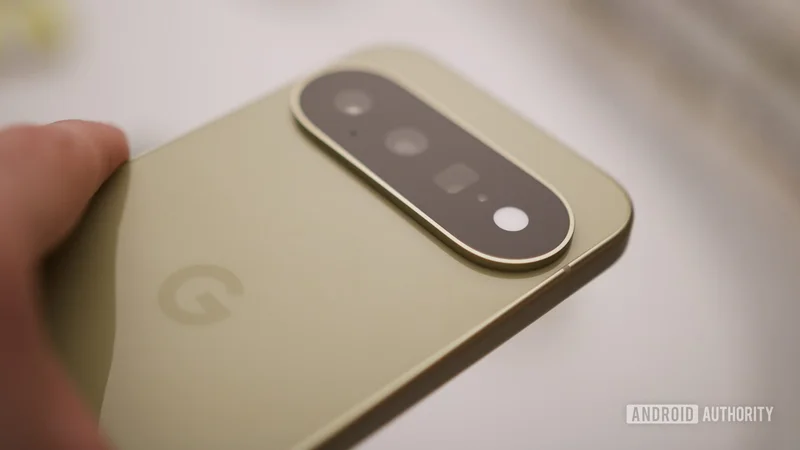
Google has just peeled the curtain back on the Pixel 11 phones, and there’s a fair amount to like here if you’re a Pixel fan. But in addition to Gemini Intelligence and the Tensor G6 chip, the new phones bring a few camera hardware upgrades and some cool software additions.
However, you only need to take a closer look to realize that Google’s best new camera features were actually copied from other smartphone brands. Don’t believe me? Here’s the proof.
What's your favorite Pixel 11 series camera feature?
Camera Looks
Arguably, the best Pixel 11 camera feature is Camera Looks, as Google finally offers a selection of customizable picture profiles. You can even choose a new default picture profile.
If this sounds familiar, that’s because this is pretty much just Google’s take on the iPhone’s Photographic Styles. Apple introduced the feature back in 2021, allowing you to choose different color profiles for your camera app. The iPhone maker also lets you edit a style and set a default profile.
Even if we exclude Apple from this conversation, brands like HUAWEI, Xiaomi, and vivo have offered user-selectable color profiles for ages (e.g., realistic or vivid). Even Nothing offered customized camera filter presets that could be shared with others. Furthermore, the vivo X300 Ultra offered fully customizable color profiles, including film styles, earlier this year. Still, I’m glad Google is embracing this option in 2026.
Magic Capture
All Pixel 11 series phones are getting a so-called Magic Capture feature. This aims to take some of the legwork out of capturing great images: when you start the mode, it records a short video clip. From here, the phone will automatically choose a few of the best shots based on smiles and other factors.
This is effectively Google’s version of Single Take, seen on Samsung phones. Single Take also records a short video clip while automatically capturing shots, GIFs, boomerangs, collages, and other media. The main difference between the two modes is that Google lets you tap the shutter button to take photos manually. However, Samsung lets you tap a button to extend capture time by five seconds.
To be fair, Magic Capture also looks like a successor to Google’s old Top Shot feature. This mode takes a short video and then lets you choose the best image from a few suggested frames. Nevertheless, it’s clear Google is taking Samsung’s fire-and-forget approach with this new mode.
Teleprompter functionality
Google is also bringing a Creator Suite of features to the Pixel 11 series camera app. This suite includes project folders for video organization, Storyboard functionality to trim and rearrange clips, and a teleprompter option.
The teleprompter feature isn’t new to Android OEMs by any measure. Xiaomi and vivo have offered teleprompter functionality in their camera apps for a few years now, letting you read scrolling text while recording a selfie video. Nevertheless, I do appreciate Google’s dynamic scrolling option, which scrolls the text as you talk and matches your pace and pauses. By contrast, other OEMs only let you choose the scrolling speed.
Google was clearly inspired by other Android OEMs when creating some of the Pixel 11’s camera features. But I don’t mind at all, as I love seeing brands crib a few features from each other. This also means you don’t necessarily have to buy a phone from a specific brand if you’re only intrigued by one or two camera options.