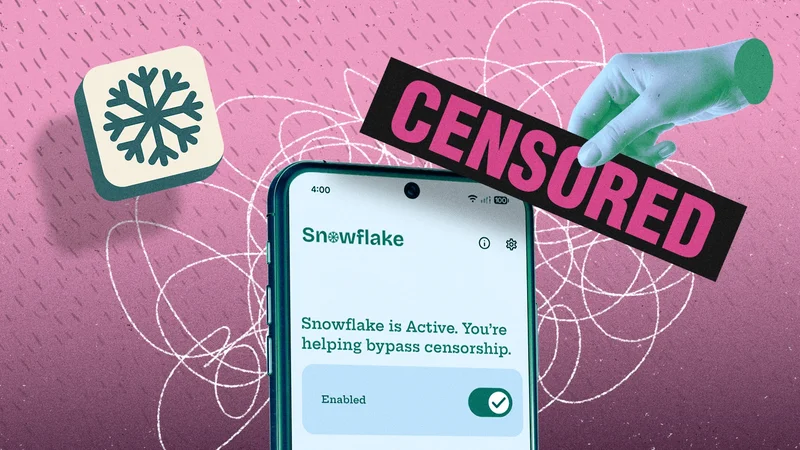
If you've read our previous coverage on the Tor network and the Tor Browser, you'll know they're the best choices if you want to maximize your privacy and anonymity on the internet. Now, the Tor project has teamed up with the Bloco Android app studio to release another app focused on privacy and anonymity: Snowflake Volunteer.
This isn't only bout keeping your own browsing safe and secure—if you install it on your Android phone, you're helping other people circumvent censorship restrictions in their current location, donating part of your connection to the web so that they can get online at all.
The Tor Browser is so effective at hiding the identity and online activities of users that certain governments would rather their citizens didn't make use of it. That takes away one of the best privacy browsers in the business for the people of those countries, and anyone who happens to be visiting them. Censoring the Tor Browser is usually done by refusing access to the relay nodes that it routes traffic around—the stops on the way to and from the internet that do the job of concealing locations and other identifiable information. However, the relay directory is public, which means it can be blocked.
That's where Snowflake comes in. The standalone Android app is new, but the idea isn't. Snowflake is an alternative way the Tor Browser can get online: A Snowflake connection is disguised as a standard video call over the WebRTC protocol, which isn't typically restricted, and from there, a connection can be made to the Tor network.
With Snowflake on your phone, you're essentially smuggling someone in a Tor-restricted country across the border, digitally speaking. Even if these intermediate bridges are detected and blocked, they're short-lived, with new ones continually popping up, making it virtually impossible for a government to block this method of access without crippling much of the general internet in their country.
The Tor Browser runs as normal for the user who's connecting, albeit with the standard trade-offs in terms of speed and latency. Because of the rerouting and technical borrowing that goes on, Tor isn't the best option if you want to maximize your broadband upload and download speeds.
What it's like to be a Snowflake Volunteer
As a firm believer that internet users should be able to get on the web with a high level of anonymity and privacy, I installed the new Snowflake Volunteer app from the Google Play Store (it's also on F-Droid) and powered it up. The first job is to exempt it from battery management rules so it will stay available even if it's not being used, a process the app guides you through.
That done, all that's required is enabling the toggle switch on the main screen, and your phone is ready and waiting for someone else to connect. There's no setup configuration to work through, no user account to create, and everything works automatically in the background—it really is designed to be as simple as possible.
Tap on the settings cog (top right), and you'll find a few settings at your disposal: You can opt to only allow connections when you're on unmetered networks (such as wifi) or when your phone is charging. You can also set how many users your phone can support at any one time. This is all in the interest of limiting the impact on your device.
Across four hours or so, I saw six connections made, sending a total of 3.2 megabytes and receiving a total of 17 megabytes—hardly excessive use. My phone wasn't suddenly overrun with other users wanting to get online. Snowflake Volunteer is designed as an emergency measure for circumventing censorship, and the usage I've seen backs that up.
I didn't notice any bugs or any problems with the app or any impact on my battery life (perhaps to be expected with so little activity). I think it's something I'll keep switched on, especially overnight when I'm not using my device. It's a nice idea to be able to see the stats on how many people you've helped over time, as an encouragement to keep your device available.
Is there any risk with using Snowflake Volunteer?
As a Snowflake Volunteer, you're not at risk of being identified by any state that's censored the Tor project: To them, you look like a standard audio or video call connection, and there's no static list of IP addresses to block. What's more, the same multiple layers of encryption that protect the entire Tor network are still in place, so you're unable to see anything connecting users are doing, and they will go through several more nodes before doing any browsing anyway—your device is just the entry point. No one who connects to your device can learn anything about you: The app is simply not capable of any sort of surveillance. You're loaning a slice of connectivity, anonymously and securely. (There are more details of how it all works in Tor's Snowflake documentation.)
The new Android app isn't your only option for putting your hand up as a Snowflake volunteer. You can also install the desktop browser add-on or enable the Kindness Mode in the Orbot app for iOS (a VPN that enables connections to the Tor network).