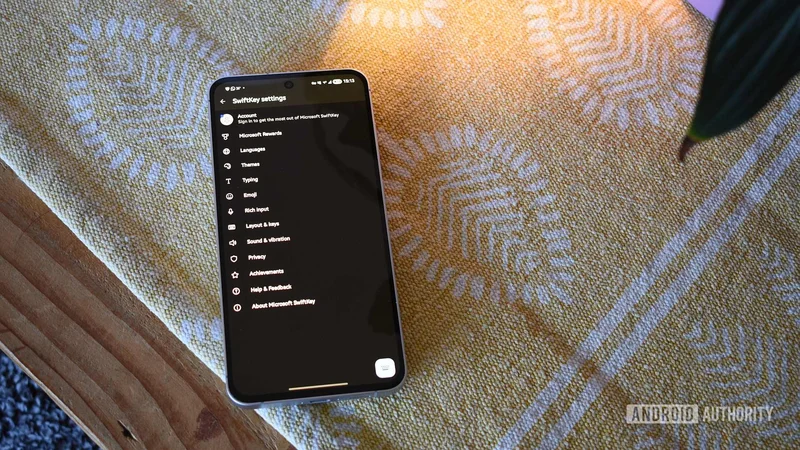
Galaxy phones are finally letting users remove this longtime Microsoft app
Aug 14, 2026 — 7:59 AM ET
- Galaxy devices running One UI 9 can now completely uninstall the pre-installed Microsoft SwiftKey keyboard app.
- Newer Samsung devices, including the Galaxy Z Fold 8 and Galaxy A57, no longer ship with SwiftKey out of the box.
- The change signals that Samsung’s long-term pre-installation partnership with Microsoft is quietly winding down.
Microsoft’s SwiftKey has long earned its spot as one of the best Gboard alternatives for Android, with our own community polls recently revealing a dedicated crowd of diehard SwiftKey loyalists. But earlier this year, Microsoft started rolling out controversial account policy changes, a warning shot that ultimately culminated in the end of Google account login and cloud backups entirely.
While those login updates alienated longtime fans, millions of Samsung Galaxy owners faced a completely different problem: they couldn’t get rid of the app even if they wanted to. Thanks to a years-long agreement between Samsung and Microsoft, SwiftKey and other apps come bloat-installed on One UI devices. If you preferred Samsung’s stock keyboard or Gboard, the best you could do on One UI 8.5 was to disable SwiftKey or remove its updates. The core app permanently occupied system storage.
That annoying limitation is finally over. As first reported by SamMobile, Samsung is letting users completely uninstall Microsoft SwiftKey on devices running One UI 9.0. Reddit users have also confirmed they can now delete SwiftKey from Galaxy S26 devices running the latest One UI 9.0 Beta 5. A quick tap of “Uninstall” fully purges the app, instantly reclaiming about 55MB of internal storage.
This signals a broader shift in Samsung’s software strategy. With newer devices like the Galaxy Z Fold 8 and budget-friendly Galaxy A57 already shipping without SwiftKey pre-installed at all, it appears Samsung’s extensive bundling agreement with Microsoft is reaching its natural end.
We’ve already seen Samsung phase out native OneDrive backup integration in the stock Gallery app, so sunsetting forced Microsoft apps across One UI makes total sense.
Whether you’re eager to clean up app-drawer clutter or just want full control over your phone’s storage, One UI 9.0 delivers a very welcome fix.