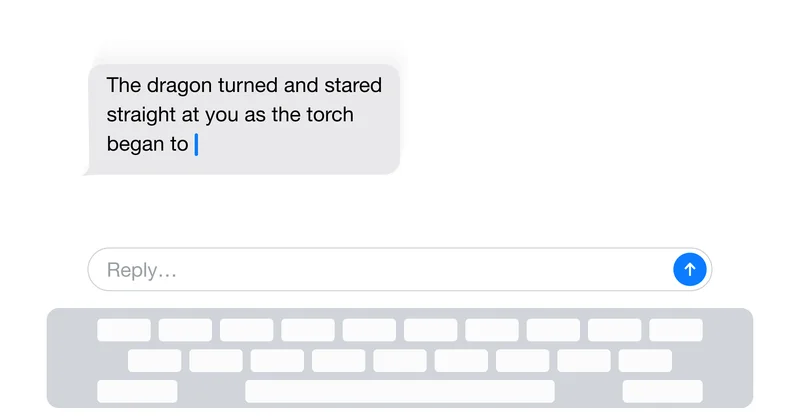
A chat screen looks like a weekend project: a list of bubbles and a text input pinned to the bottom. In React Native, it is one of the hardest things to ship well, because it sits on top of the two most hostile surfaces in mobile development: the software keyboard and a scrolling list that changes size while you're looking at it.
We're putting LLMs into everything now, and there is still no good drop-in chat view for React Native. You glue together an aging library with strong opinions, or you hand-roll it. I hand-rolled it. Then I made the LLM stream its replies token by token, and the whole thing fell apart in a way that took a week to understand.
This is the story of that break, and the fix, which arrived with suspiciously good timing as a library release three months ago.
The App
I work on an app built around an LLM chat: characters that remember you and reply as an open-ended story unfolds. The messages between the reader and the characters are rendered in a chat-like view: an inverted list, the newest message at the bottom, and a composer pinned above the keyboard. Standard chat anatomy.
The twist that makes it hard: the character replies are generated by an LLM, and they stream. Tokens arrive in bursts, a few every hundred milliseconds, with a full reply landing over two or three seconds. Each batch makes the last bubble taller. The list isn't just appending a finished message. It's growing on every frame, while the user might be typing, scrolling, or dismissing the keyboard.
That single fact is what turns "I'll just use a FlatList" into weeks of work.
Why There's Nothing Good to Reach For
The first thing I did was look for a library. The honest state of the art:
react-native-gifted-chatis the default answer and it's showing its age. It's opinionated about your data shape, its rendering, and its layout, and fighting those opinions costs more than writing your own.- Most "chat UI" packages are really just a styled
FlatListplus a text input. They solve the easy half and hand you the two genuinely hard problems: keyboard choreography and a live-resizing list. - The keyboard utilities that doexist (
KeyboardAvoidingViewand friends) were built for forms, not for an inverted list whose last row is growing while the keyboard animates.
So I wrote my own keyboard-and-scroll layer. It was close to 500 lines of KeyboardAvoidingView overrides, manual scrollToOffset calls, listeners on keyboard show/hide events, and offset math to keep the composer glued to the keyboard. It worked, demos looked clean, and I shipped it.
The Break: Streaming Meets the Keyboard
The bug reports were all variations on "the chat is jumpy." No crashes, just jank.
I couldn't reproduce it at first because each of the two features behaved perfectly on its own.The keyboard animation was smooth. The streaming was smooth. The problem only showed up at their intersection. That's the kind of bug that costs a week, because nothing is actually broken. Two correct things are simply disagreeing.
Here's what was actually happening. While a character reply streams in:
- Every batch of tokens makes the last bubble taller.
- On an inverted list, growing the bottom row shifts the content offset.
- React Native re-runs the layout to absorb the new height.
- If the keyboard is open, or worse, mid-animation, my keyboard layer is alsoadjusting offsets at the same time.
Two systems are writing to the scroll position on the same frames. The result: the content jumps, the composer twitches, and if the user has scrolled up to re-read an earlier message, the stream yanks them around. Layout thrash. A steady 60fps collapsed into the low teens precisely when the app is supposed to feel most alive, and on a mid-range Android phone, it was worse.
// The naive streaming append: looks innocent, thrashes layout.
// Every chunk triggers a re-measure of the growing bubble,
// which fights whatever the keyboard handler is doing this frame.
for await (const chunk of stream) {
  setMessages((prev) => {
    const next = [...prev];
    next[0] = { ...next[0], text: next[0].text + chunk }; // index 0 = newest, inverted list
    return next;
  });
}
The streaming itself has its own sharp edges, and they compound the layout problem. Two worth calling out before the fix:
React Native's fetch can't stream a response body. There's no response.body.getReader() in stock RN. You reach for an SSE polyfill like react-native-sse or if you're on Expo like me, the streaming-capable fetch from expo/fetch. Pick deliberately. This is the single most common thing people get wrong on day one.
import { fetch } from "expo/fetch";
const res = await fetch(url, {
  method: "POST",
  body,
  signal: controller.signal,
});
const reader = res.body.getReader();
const decoder = new TextDecoder();
// ...read loop, parse SSE frames, dispatch tokens
Partial markdown will bite you. Tokens arrive mid-syntax. At some frame your buffer is literally The dragon turned and **stared with the bold marker opened and not yet closed. A naive markdown renderer will either render the asterisks as literal text or flip half the conversation bold. You need a renderer that tolerates unterminated syntax, or you sanitize the buffer before each render.
Cancellation has to be real. The user closes the chat, switches characters, or fires off a new message mid-reply. You need an AbortController whose signal actually reaches the fetch. Skip it and you're billed for tokens nobody will read, streamed into a view that already unmounted.
The Fix
I was about to rewrite my keyboard layer for the fourth time when react-native-keyboard-controller shipped KeyboardChatScrollView in v1.21.0, on March 16, 2026. It is, as far as I can tell, the first component built specifically for the chat-plus-keyboard problem rather than the form-plus-keyboard one, and it happens to solve the streaming case directly.
The piece that matters for an LLM app is built on a ClippingScrollView that provides cross-platform contentInset behavior by extending the scrollable geometry rather than recomputing the layout. That one design choice is why the thrash disappears. The keyboard no longer fights the list because absorbing keyboard height is no longer a layout operation.
The props read like a tour of every chat app you've used:
keyboardLiftBehaviorpicks how the content reacts to the keyboard.-"always"keeps the latest messages visible no matter where you've scrolled (Telegram, WhatsApp).-"whenAtEnd"lifts only when you're already at the bottom, and leaves you alone if you've scrolled up to read history (ChatGPT).-"persistent"lifts when the keyboard opens and, unlike the rest, stays put when it closes instead of snapping back down (Claude).-"never"lets the keyboard cover the content and moves nothing (Perplexity).blankSpacereserves room for an incoming response while absorbing keyboard height. This is the direct antidote to streaming jank. Instead of the list growing reactively frame by frame and fighting the keyboard, you reserve the space up front and let the tokens fill it.extraContentPaddinghandles a composer that grows as the user types a long message, without jumping the content.freezelocks the layout during emoji and attachment-picker transitions, the other place chat UIs jump.
```
import { KeyboardChatScrollView } from "react-native-keyboard-controller";
<KeyboardChatScrollView
keyboardLiftBehavior="persistent" // the Claude pattern: lifts on open, stays put on close
blankSpace={pendingReply ? estimatedReplyHeight : 0}
{messages.map(renderBubble)}
;
`` On paperwhenAtEndis the tidy answer for a reading-heavy app: don't move the content out from under someone studying an old exchange. I shippedpersistent` anyway. So many of my users live in assistant apps that Claude's settle-and-stay behavior is just what their hands expect, and familiarity beat theory. Nobody had to relearn how the chat feels.
My streaming loop didn't change. What changed is that the loop is now the
What I'd Keep, and What I'd Throw Away
If I were starting Y/N's chat today, I'd delete my hand-rolled keyboard layer without ceremony and start from KeyboardChatScrollView. The custom code I'd keep is the part that was always mine to own: the streaming reader, the partial-markdown guard, and the cancellation plumbing. Those aren't keyboard problems, and no layout library will solve them for you.
The general lesson applies well beyond chat. The expensive bug is almost never one broken feature. It's two correct features interacting on the same frame. My keyboard handler was right. My streaming was right. The week disappeared into the seam between them. When something janks and every part tests clean in isolation, stop testing the parts and go look at what they're both writing to.
And the smaller, practical one: the chat box is never the easy part of the app. Budget for it like it's a feature, because it is one. For the first time in a while, you don't have to build all of it yourself.
If you've solved the Android side of this, or made partial-markdown rendering feel good while streaming, I'd be glad to compare notes in the comments.