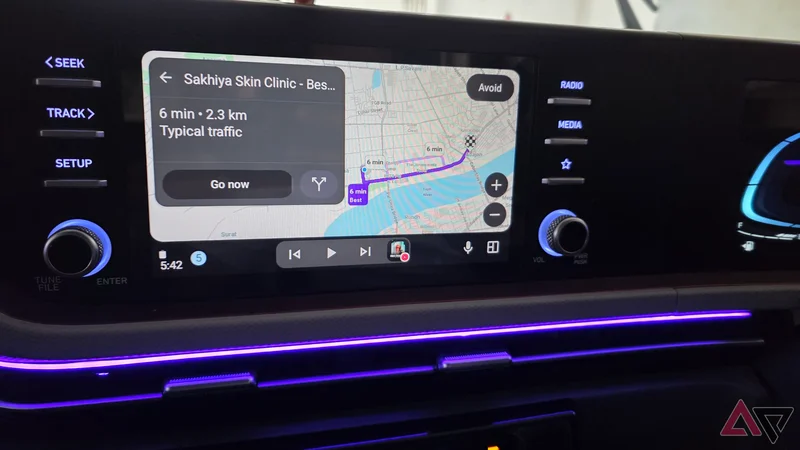
Google Maps has been my default navigation app for years, but lately, I have had a few reasons to look elsewhere.
On Android Auto, it can occasionally feel laggy, and there are times when it consumes more battery than I would like, especially on longer drives.
So, I replaced it with Waze, OsmAnd, and HERE WeGo for a while and used all three on Android Auto in real driving conditions, and one ended up being a much more convincing Google Maps replacement than the others.
Why I wanted to replace Google Maps
Google Maps started testing my patience
Google Maps is still one of the most complete navigation tools around. The problem was how it had started behaving on Android Auto.
Now and then, the interface would feel laggy, especially when I was moving around the map, switching views, or watching for the route to update.
That is the last thing I want from an app I am supposed to glance at for a second or two while driving.
Battery drain was another reason I started experimenting. On some drives, Google Maps seemed to consume far more battery than I expected.
There are small annoyances, too. Google Maps can feel quite busy on my 8-inch Android Auto unit.
I have become picky about car interfaces because clarity matters more to me than having every possible feature visible at once.
That is what pushed me to try Waze, OsmAnd, and HERE WeGo.
OsmAnd and HERE WeGo got the basics right
But they felt complete to me
OsmAnd impressed me almost immediately with how much control it offers. Offline maps are a huge part of the experience, and there are plenty of options for customizing routes, map details, driving profiles, and what appears on the screen.
However, I am not a fan of its UI, and it feels like an app designed for someone who enjoys tweaking every little detail.
I can see myself using it for specific trips, but it felt like overkill for my everyday commute.
HERE WeGo was much easier to settle into. The interface is straightforward, navigation works well, and its offline map support is a major advantage over Waze.
I had very little to complain about, but that was also the problem. Nothing really pulled me toward it.
Waze immediately looked better
Community reports changed the experience
Waze made a stronger first impression than the other two because it simply felt more polished on Android Auto.
The interface is clean, the icons are easy to recognize at a glance (look for those neat traffic signal icons, and you will understand what I am talking about), and important information such as turns, ETA, and road alerts is presented without making the screen feel crowded.
It also feels lightweight in day-to-day use.
I noticed fewer moments where the interface seemed to hesitate or get in my way, which matters a lot when I am driving and want navigation to work.
The real advantage, though, was Waze’s community reporting. I started getting useful warnings about traffic, crashes, stopped vehicles, road hazards, and other problems before I reached them.
That made Waze useful even on routes I already know by heart. I may not need turn-by-turn directions for my regular commute, but knowing what is happening a few miles ahead can still save me from getting stuck.
Gemini makes Waze much more useful
Taking the navigation experience to the next level
I was surprised to see how well Gemini works with Waze. I expected that kind of deep assistant integration to remain one of Google Maps’ biggest advantages, but Waze gets access to many of the same hands-free conveniences.
I can pull information from other Google services and then use it inside my driving workflow.
For example, I can say, ‘Get me that shopping mall name from Google Keep and navigate to it,’ and Gemini finds the information and starts navigation in Waze.
I can take it a step further and say, ‘Send the ETA to Mike on Messages,’ and Gemini handles that too.
These multi-app commands are exactly what I want while driving because they cut down on unnecessary taps and distractions.
This is also where Waze easily beats the other Google Maps alternatives I tested.
One app earned my dashboard spot
After spending time with all three, Waze was the easiest one to keep using. OsmAnd is capable, and HERE WeGo handles the fundamentals well, but Waze feels better suited.
Its clean interface, modern icons, live community reports, lightweight nature, and Gemini support all come together in a way that feels useful when I am on the road.
I would still keep an offline-friendly app around for longer trips, but for everyday driving, Waze is the Google Maps replacement that earned a permanent spot on my Android Auto screen.