Modern routers and mesh systems offer better performance than ever, but many of them have a limited supply of ports. The best Ethernet switches enable you to add several Ethernet ports so you can wire up your most important connections for maximum speed, efficiency, and security.
Whether you want to set up a wired backhaul for better Wi-Fi performance, plug in your TV to banish buffering, or hook up a local, subscription-free security camera system using Power over Ethernet (PoE), Ethernet switches can help you do it. I’ve tested several, and these are the brands I recommend.
You may also want to dip into my other home networking guides, including What Is Ethernet, How to Run Ethernet Cables Around Your Home, How to Buy a Router, Best Wi-Fi Routers, and Best Mesh Systems.
Netgear Ethernet Switches
I’ve used a few different Netgear switches over the years and found them to be very reliable and well made.
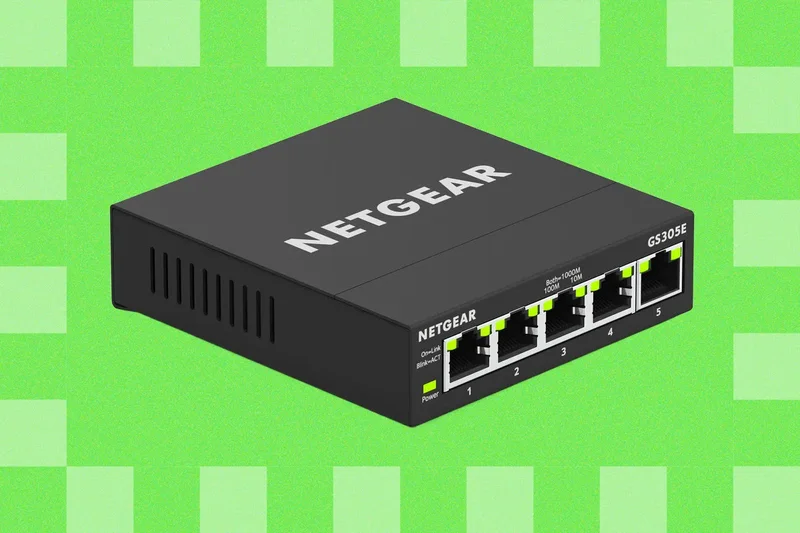
If you just need a few extra ports, this affordable unmanaged switch from Netgear is nice and straightforward. The compact metal case offers five Gigabit ports; it’s plug-and-play, and it’s completely fanless for silent operation. It comes with a power adapter, each port has a green LED to show when it’s in use, and you can wall-mount or tuck it away. (Mine has been hiding in a cable tidy box).
If you need more ports, this smart switch has eight auto-sensing Gigabit Ethernet ports, each supporting up to 1,000 Mbps. It's plug-and-play and has a silent, fanless design. There’s a web-based user interface if you want to dig into settings to configure virtual local area networks (VLANs), set up Quality of Service (QoS) to prioritize traffic, mirror ports, and more.
Folks on a budget should consider an Ethernet switch from TP-Link. These are the ones I’ve tried and can recommend.
As simple as you get, this plug-and-play switch is sturdy with a metal case, has a silent fanless design, and gives you eight Gigabit Ethernet ports. I’ve been using it for several months to hook up various security camera hubs, NAS devices, and a Sonos speaker, and it works perfectly.
If you want a more compact, stylish design, my colleague has been using the TP-Link 8 Port Gigabit Ethernet Network Switch (TL-SG1008D) ($25) for years and says it works well.
I got this switch to connect three Power over Ethernet (PoE) cameras recently. It also has eight Gigabit ports, but four of them are PoE ports capable of supplying power (up to 30 watts each, but 64 watts in total), as well as carrying data. It’s sturdy and silent with LEDs on the front and ports on the back, which makes it a little easier to keep tidy and see what’s working at a glance. It’s also sturdy and silent. But because it’s fanless, it can get warm.
Other Ethernet Switch Manufacturers
I’m planning to test more Ethernet switches in the coming months, but most folks will be well served by something affordable from Netgear or TP-Link. I'm highlighting Ethernet switches for the average home user here, but there are many faster and larger options on the market. Other popular brands worth considering include Cisco, Trendnet, Zyxel, and Ubiquiti. I would steer clear of unknown brands.
How Many Ports Do You Need?
You can get Ethernet switches in all kinds of sizes, from four ports up to 24 or more. It’s probably a good idea to get a switch with at least a couple of spare ports to give yourself some space to add more wired devices in future. Remember, though, that one of the ports will be required for the incoming internet connection from your router.
What Speed Do You Need?
Most Ethernet switches for home users are rated at a Gigabit, so each port is capped at 1 Gbps. They will also have a backplane limit. It’s unlikely you’ll run into this as you probably won’t be maxing out every port simultaneously, but an 8-port Gigabit switch with a 4-Gbps backplane will be limited to 500 Mbps per port if they’re all maxing out. In practice, it will be less because you never get maximum efficiency.
You will, of course, also be limited by your overall internet speed. If your internet connection is only a max of 2 Gbps (and everything is online and maxed out), it’s going to be 250 Mbps per port maximum. You will still get the benefits of higher-rated gear for transfers between devices on your network, as they won’t be limited by your internet connection speed.
Unmanaged or Managed Switches?
Unmanaged switches are simple plug-and-play devices that don’t require any configuration, while managed switches allow you to configure and monitor your network. Most folks looking to add wired connections to their home network can save money and hassle by opting for an unmanaged switch.
If you want to use your switch to prioritize traffic, limit bandwidth, or create virtual local area networks (VLANs) you might consider a managed switch. One common use case might be to isolate specific devices like security cameras. You can usually configure these by visiting the IP address in your web browser or using a console client.
You can also get so-called “smart switches,” which behave like unmanaged switches out of the box but can be configured to some degree. These are a middle ground between unmanaged and managed.
Do You Need PoE?
If you are connecting security cameras or access points that support Power over Ethernet, you need a switch that can deliver that power. PoE switches deliver power and data via a single cable. Make sure your switch has enough PoE ports (some switches have a mix of regular and PoE ports) and can handle your overall power requirements. There are different PoE standards capable of delivering a different power budget per port, but you also have to consider the overall power budget.
- Type 1 (IEEE 802.3af or PoE) can send 15 watts
- Type 2 (IEEE 802.3at or PoE+) can send 30 watts
- Type 3 (IEEE 802.3bt or PoE++) can send 60 watts
- Type 4 (IEEE 802.3bt or PoE++) can send 90 watts
All of them will lose some power between the switch and device. You also have to match capable Ethernet cables.
This affordable cable is fine for data up to 1 Gbps, and I don't think most folks need to spend more. But if you are hooking up PoE devices, you'll need cables that can handle the additional load.
Power up with unlimited access toWIRED.Get best-in-class reporting and exclusive subscriber content that's too important to ignore. Subscribe Today.