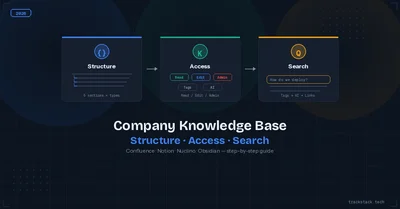
Every company knowledge base follows the same arc: Month 1 — clean and organized. Month 6 — 200 pages at root level, half named "Notes (2)" or "IMPORTANT!!!", a junior accidentally deletes the production runbook, and an intern reads the salary spreadsheet.
Here's how to prevent that with three pillars: structure, access control, and search.
1. Structure It by Org Chart, Not Projects
Projects end. Departments stay. Build your hierarchy around teams:
```
📁 Engineering
├── ADRs (Architecture Decision Records)
├── Runbooks
├── API Documentation
├── Coding Standards
└── Onboarding
📁 Product
├── PRDs
├── Roadmap
└── Decision Logs
📁 Operations
├── HR Processes
├── Security Policies
└── IT Infrastructure
📁 Marketing / Sales
├── Brand Guidelines
└── Pitch Decks
📁 Company-wide
├── General Onboarding
├── Org Chart
└── Policy Book
```
Enter fullscreen mode
Exit fullscreen mode
Naming convention matters more than you think. Use [Type] Document Name:
[ADR] Migration from MongoDB to PostgreSQL[Runbook] Database Restore from Backup[Postmortem] 2026-03-15 Payment Service Outage
A new team member should understand any page title without context. If it says "PM listing Q2" — it's wrong. [Product] Listing Feature — Q2 2026 PRD — right.
2. Access Control: Not Bureaucracy, Protection
The default should not be "everyone sees everything." Set it up once and forget:
| Section | Who Reads | Who Edits |
| --- | --- | --- |
| Engineering | Entire company (read-only) | Engineering only |
| Product | Eng + Product + Design | Product team |
| Operations (HR, finance) | Ops + C-level | Ops team |
| Marketing/Sales | Marketing + Sales + Product | Marketing team |
| Company-wide | Everyone | HR + Admin |
Sensitive docs (security incidents, salary data, API keys) go in a separate "Restricted" section — C-level and designated owners only.
Implementation: Confluence → Space Permissions. Notion → Teamspaces. Nuclino → Workspace roles. Whatever you use — enable 2FA on every account with KB access.
3. Search: The Make-or-Break Feature
A knowledge base nobody can search is a knowledge base nobody uses. Three fixes:
Tags on everything. Every document gets: technology tag (PostgreSQL, React, AWS), type tag (runbook, ADR, PRD), status tag (draft, approved, deprecated). Tags are search filters — without them, you're grepping through page titles.
Cross-link documents. ADR → links to its Runbook → links to its PRD. This creates a knowledge network, not a pile of isolated files. In Obsidian: [[wikilinks]]. In Confluence: @page mentions.
"Start Here" page per section. Not a list of all docs — a decision tree:
New to the team?          → Onboarding Guide
Production is down?       → Runbook: Incident Response
Need an architecture decision? → ADR Template
Looking for API docs?     → API Reference Index
Enter fullscreen mode
Exit fullscreen mode
AI search (Confluence AI, Notion AI) lets people ask "How do we deploy to staging?" and get an answer from your docs. For self-hosted setups, pipe your docs through an LLM API via n8n or Make.
The Quarterly Audit Checklist
Run this every 3 months. Every unchecked item \= lost time:
- ✅ Structure mirrors org chart, not projects
- ✅ Naming convention exists and 80%+ pages follow it
- ✅ Each section has a "Start Here" navigation page
- ✅ Access rights are per-section (Eng can't see HR docs)
- ✅ Sensitive docs have a restricted section
- ✅ 2FA on all KB accounts
- ✅ Every doc has tags (technology, type, status)
- ✅ Docs are cross-linked (ADR → Runbook → PRD)
- ✅ Deprecated docs are marked, not deleted
- ✅ New hire finds onboarding in \< 2 minutes without asking
Which Platform?
Quick decision:
Already on Jira?           → Confluence
Startup under 20 people?   → Notion
Just need a fast wiki?     → Nuclino
Solo dev, privacy-first?   → Obsidian
Public developer docs?     → GitBook
Enter fullscreen mode
Exit fullscreen mode
📖 The full article covers detailed permission setups for each platform, document deprecation workflows, how to motivate teams to actually document things, and GitHub Wiki limitations for cross-functional teams.