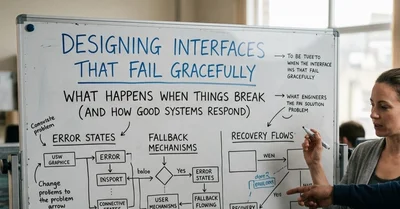
When you build in your local development environment, everything works perfectly. When you test your code on your own machine, your internet connection is flawless, and API endpoints respond in milliseconds.
The Google Apps Script backend executes without a hitch. In this pristine environment, it is incredibly easy to build a happy path user interface. Users clicks a button, the data sends, and a green "Success" message appears.
But to be honest, the real internet is a very chaotic, hostile environment.
Users access your site on trains going through tunnels with 3G connections. API gateways throttle requests. Cross-Origin Resource Sharing (CORS) policies fail. If you only design for the happy path, your application will break the moment it hits the real world scenario.
When I built the Contact and Ghost Network panels in my interactive portfolio, the most complex code wasn't the data transmission. It was the defensive engineering designed to handle failure.
Going forward, we'll dive into designing UI resilience, handling asynchronous network chaos, and ensuring that when your application fails, it fails gracefully.
Phase 1: The Illusion of Immediate Success (Optimistic UI)
When a user clicks "Send Message" on a contact form, the worst thing you can do is leave the button active while the browser waits for the server.
For instance, If the server takes three seconds to respond, a confused user will click the "Send" button five more times, firing off five duplicate network requests.
The first rule of resilience is State Lockdown. The moment a network request begins, the UI must immediately reflect a pending state.
```
const form = document.getElementById('contactForm');
const submitBtn = document.getElementById('submitBtn');
const feedbackMsg = document.getElementById('formMsg');
form.addEventListener('submit', function(e) {
e.preventDefault();
// 1. Clear any previous errors
feedbackMsg.textContent = '';
feedbackMsg.className = '';
// 2. STATE LOCKDOWN: Disable the button and change the text
submitBtn.disabled = true;
submitBtn.textContent = 'Sending...';
// ... proceed to network request
});
```
Enter fullscreen mode
Exit fullscreen mode
By instantly disabling the button (submitBtn.disabled = true;), we physically prevent the user from spamming the server. By changing the text to "Sending...", we provide immediate psychological feedback that the machine is working on the request.
Phase 2: Taming Asynchronous Chaos (The Fetch Wrapper)
When we send data to a Google Apps Script backend using the fetch() API, we are entering the realm of asynchronous programming. We have asked the browser to go do a job on the internet, and we have to wait for the answer.
A junior developer handles a fetch request like this:
// The UI dead Path
fetch(WEB_APP_URL, { method: 'POST', body: payload })
  .then(response => response.json())
  .then(data => {
    // Assumed success and celebrate
    submitBtn.disabled = false;
    feedbackMsg.textContent = 'Message Sent!';
  });
Enter fullscreen mode
Exit fullscreen mode
This particular code is a time bomb, a disaster. What happens if the Google server returns a 500 Internal Server Error? What happens if the user's WiFi drops mid-request?
Simple, the .then() block will fail, the button will remain permanently disabled, and the user will be stuck staring at a "Sending..." message forever.
In essence, the UI is dead.
However, a resilient system uses strict Promise chaining and an ironclad .catch() block.
```
// THE RESILIENT PATH
fetch(WEB_APP_URL, {
method: 'POST',
body: JSON.stringify(payload)
})
.then(response => {
// 1. Check if the HTTP status is actually OK
if (!response.ok) {
throw new Error('Network response was not ok.');
}
return response.json();
})
.then(data => {
// 2. The server responded, but did our specific logic succeed?
if (data.success) {
// THE HAPPY PATH
submitBtn.disabled = false;
submitBtn.textContent = 'Send Message';
feedbackMsg.style.color = currentAccent;
feedbackMsg.textContent = 'Secure message transmitted. Expect a reply shortly.';
form.reset();
} else {
// The server replied, but the Apps Script logic failed
throw new Error(data.error || 'Backend logic failed.');
}
})
.catch(err => {
// 3. THE SAFETY NET: Catch ALL errors (Network drops, CORS, Server crashes)
submitBtn.disabled = false;
submitBtn.textContent = 'Send Message';
feedbackMsg.style.color = 'red'; // indicator
feedbackMsg.textContent = 'Connection failed. Please email directly: efeelobarie@gmail.com';
console.error("Transmission Error:", err);
});
```
Enter fullscreen mode
Exit fullscreen mode
Phase 3: The Ultimate Fallback (Graceful Degradation)
The most important line of code in the entire sequence above is the error message itself: "Connection failed. Please email directly: efeelobarie@gmail.com"
This is the principle of Graceful Degradation.
If my custom Google Apps Script backend fails, or if a browser extension completely blocks the fetch request, the user's goal (which is contacting me) is not destroyed. The application admits failure, then releases the locked UI state, and immediately provides a low-tech, unbreakable alternative, which is a plain text email address (or directive)
The Empathy of Error Handling
represents a shift in software design and user experience (UX) from purely technical, machine-oriented messaging to human-centric communication. It recognizes that error messages are not just functional interruptions but critical psychological events that can either build trust or cause anxiety (medium).
Writing defensive code is not just about preventing crashes. It is an exercise in user empathy.
Imagine an application breaks and leaves a user staring at a frozen screen. This creates frustration and erodes trust.
When an application encounters an error, the system should immediately inform the user and offer a clear alternative path. This approach builds professionalism and trust through prevention, rather than just reaction.
F A I L
Feedback : Always tell the user what happened
Actions : Give next step
Integrity : Don’t lose user data
Latency handling: Handle delays properly
We unknownly spend so much time building the perfect happy path, but a system's true quality is defined by how it behaves when everything goes wrong.
If a company’s web application is fragile, frustrating, and prone to silent failures, there is a need for a more resilient system.
Thank you for reading till the end. I hope you learnt something new and if you have any questions, feel free to reach out or drop them in the comments below.