5 fun things you can do with sensors on your Android phone
Aug 2, 2026 — 5:00 AM ET
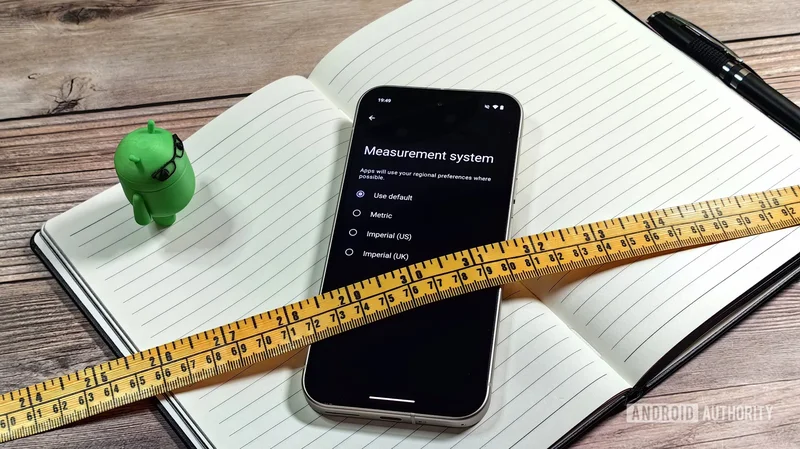
An Android phone can replace several everyday gadgets — that’s nothing new. But what most people don’t realize is that it goes well beyond the obvious stuff like cameras, flashlights, radios, and calculators. The sensors packed into your phone can, with the right app, do things you’d never think to ask of it. We’re talking tape measures, metal detectors, sound meters, thermometers — things you’d otherwise have to dig out of a drawer.
Which of these would you actually use your phone for?
Use your phone as a tape measure
That camera on your phone can do a lot more than take photos. It can work in tandem with your phone’s sensors to measure objects and distances with decent accuracy. This doesn’t work out of the box, though. You’ll need to download an app like Tape Measure or Quick Measure if you’re on a Galaxy phone.
You can use your phone to estimate the length, width, height, and even the area of a room or a piece of furniture.
Once you have it, simply point your phone’s camera at anything, and it’ll first detect flat surfaces like floors or walls. You can then select measurement points to estimate length, width, height, and even area. It works with furniture, walls, doorways, devices, you name it. It even works for measuring someone’s height.
On flagship phones, these measurement apps use LiDAR to get the most accurate results. On budget Android phones, ARCore’s software-based depth estimation does the trick. Either way, I wouldn’t advise you to rely on it for anything where accuracy truly matters.
Measure ambient light and noise
You may not have realized this, but you’re already using your phone’s ambient light sensor every day — it’s what adjusts your screen brightness automatically based on your surroundings. With an app like Light Meter, that same sensor can give you proper lux readings of any environment. This can be especially handy when you’re setting up a home office or trying to figure out if your plants in the corner are getting enough light. You just have to open the app, and it starts measuring almost instantly. It even suggests ideal lux values for different settings — study desk, living room, classroom, library, office, and workshop.
Noise measurement works the same way. An app like Sound Meter can use your phone’s microphone to measure how loud your environment actually is in decibels. It’s useful for checking if your soundbar is playing at a safe volume or scoping out a space before setting up a recording corner.
Once you open the app, it’ll start measuring the noise levels in real time. The only catch is that phone microphones are designed for human voice, so you won’t be able to measure anything that’s extremely loud — say, over 90dB. But for general curiosity, it does the job well enough.
Turn your phone into a metal detector
Every Android phone has a magnetometer inside. It’s the sensor that powers your compass app and helps Google Maps figure out which direction you’re facing. Since it can detect magnetic fields from nearby metal objects, it can also double as a metal detector.
Your phone can tell you if something is actually metal before you drill into it.
An app like Physics Toolbox Magnetometer can tap into that sensor to measure magnetic fields in real time. It shows readings in microtesla across the X, Y, and Z axes, and even has a 3D compass mode if you want to visualize the field direction. All you have to do is bring your phone closer to any metal object, and you’ll see the readings spike instantly.
You can use it to map EMF around your home, run basic speaker diagnostics, or check if something is actually metal before drilling into it. This works best on strong sources like magnets, speakers, or camera modules. Of course, it’s not a replacement for an actual metal detector by any means. Still, it’s accurate enough for classroom projects and casual hobbyist use.
Use your phone as a spirit level
The accelerometer and gyroscope are two sensors that have been in Android phones forever. Together, they can track how your device is oriented in space, which is what lets your screen rotate automatically when you tilt your phone. It’s also what makes your phone a surprisingly decent spirit level.
Most Android phones don’t have a spirit level tool built in, but you can grab a free app like Bubble Level from the Play Store to fill that gap. You simply have to hold your phone against a wall mount or a photo frame, and it’ll tell you exactly how far off it is. It also works for horizontal surfaces — lay your phone flat on a table or shelf to see if it’s perfectly leveled. This may not work well if your phone has a huge camera bump, though.
Your Pixel is also a thermometer
This one is Pixel-exclusive — specifically, for the Pixel 8 Pro and later Pro models. These phones have a temperature sensor next to the rear camera that can measure the temperatures of objects without touching them. It works best within a few inches of the surface. This feature is built into the Thermometer app, which comes pre-installed on supported Pixel phones. So yes, you don’t need to download anything new.
Your Pixel can measure body temprature — and even your home's insulation.
It’s one of those sensors you’ll find a use for more often than you’d expect. You can check whether a pan is hot enough for cooking, see if your laptop is running hot, or test your baby’s bathwater. It can even measure your body temperature by positioning the camera bar against your forehead and slowly moving it toward your temple.
Of course, these are just obvious use cases, but you can get as creative as you like and even use it for things like checking your home’s insulation.
Honestly, we’ve barely scratched the surface here. The hardware on most Android phones is capable enough to measure all kinds of things, like atmospheric pressure, elevation changes, your heart rate, and much more. The right app is usually all it takes.
Is there something unusual you use your phone’s sensors for? Share it with us in the comments below.