Most of the useful meeting-notes features are locked behind a paywall, which is part of why I put off canceling my transcription subscription for so long. I had nothing lined up to replace it.
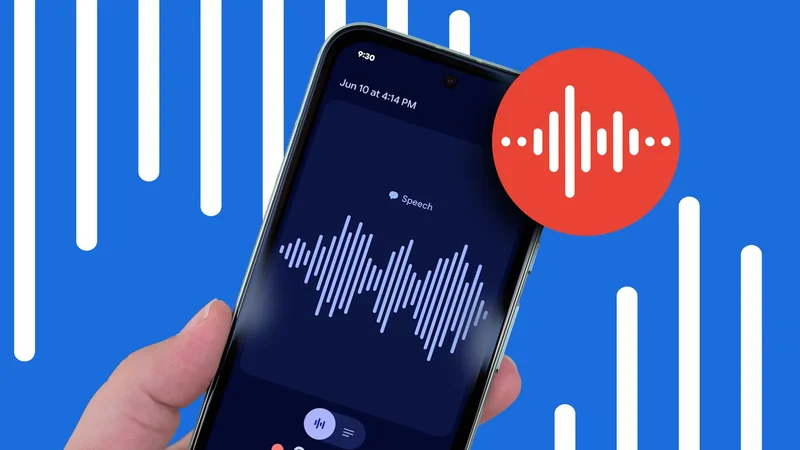
However, there was an option I kept skipping that was already on my phone. My Google Pixel's Recorder app had been in the app drawer since I set the device up, and I had written it off as a voice memo tool.
I gave it a trial mostly because I had recently been forced to admit that Google apps hold up against most third-party competition.
Google Recorder saved me the subscription, but not for the reason I expected.
Why I needed a meeting-notes solution
There's only so much space in a diary
A promotion a few years ago put me in more meetings than I could track from memory. My notebook filled up with half-finished sentences that barely made sense to me two days later.
I bought my way out of it, which is what I tend to do with a work problem.
After testing one or two options, I settled on Otter, a solid app that had everything I needed and a few interesting features I hadn't thought of.
It did the usual meeting transcripts, but Otter would also offer summaries, highlight action points, and integrate with my calendar to link transcripts to corresponding meeting events.
The subscription renewal notice is what made me look again. I had been paying the bill for years without once checking whether Otter still beat the alternatives.
This time I decided to leave the bill hanging and try Recorder for a quick meeting transcript, though my expectations were low.
What Recorder gets right before you change a setting
Transcription starts the moment you tap 'record'
I'd have to say that the Recorder app is more than usable. It might be the best tool for the job.
First off, there is no setup and no file to upload. You press record, the transcript builds in real time, and it is ready the second you stop.
This doesn't require an internet connection since the transcription runs on the phone. The summaries work similarly thanks to Gemini Nano, which Google says runs offline because the model is stored on the device. Only backup and sync go online.
It's worth noting that the accuracy is good, but not perfect. It cleanly transcribes clear, well-spaced conversations, but slips up when two people talk over each other, or their voices are in a similar range.
Nevertheless, these features alone were enough to make me question paying for cloud processing I did not need.
Speaker labels are off until you turn them on
The setting sits two taps inside Recorder settings
This is the feature I nearly missed. Recorder can tag each voice in a transcript, but it does not do so by default.
Open Recorder, tap your profile icon, then go to Recorder settings > Speaker labels. Confirm the prompt and Recorder starts splitting the transcript by voice, marking each one as Speaker 1, Speaker 2, and so on.
Those generic labels matter because you can replace them. Open a transcript, choose Edit speaker labels, and give each voice the name of the person it belongs to.
There are two limits you should know while learning to use Google Recorder. Speaker labels only work in English, and Google warns that they stop working if your phone gets too hot. You also need a Google Pixel 6 phone or newer.
The Search trick that makes it amazing
Searching by person instead of by keyword
The names you assign are written into the transcript as text, and that is what makes them searchable.
Recorder's home screen search reads transcript contents rather than recording titles. If you type a person's name, you get every recording where that person spoke, across your whole library.
You can narrow it further inside a single recording by opening its transcript and searching for the speaker label.
That combination is what turned Recorder into a meeting-notes tool for me. When I need to know what my manager committed to in a planning session, I search for her name instead of scrubbing through an hour of audio.
It works the same way for people who only show up occasionally. If someone from another team joins one call a month, their name still pulls up every one of those calls in a couple of seconds.
I have come to trust it more than a summary. A summary is an AI's guess at what was important, while a name search provides what someone said, in order, with the timestamps attached.
Still, it's not a complete replacement for a dedicated service. Recorder has no calendar integration, so I name each recording after the meeting, but I have not found that annoying enough to fix.
Another third-party app bites the dust
Recorder will not suit everyone, and the nature of your meetings decides it.
If meetings run through Zoom or Meet and you take them on headphones, a phone recording a room is the wrong tool, and a paid service with a bot in the call is worth its fee.
I have a lot of in-person meetings, so a phone on the table does the job quite well.
Two features that have been there for years replaced something I was paying for, and one of them is off by default, which is why I ignored the app for as long as I did.
I turned on speaker labels, renamed a few voices, and the app I overlooked became the one I open after every meeting.