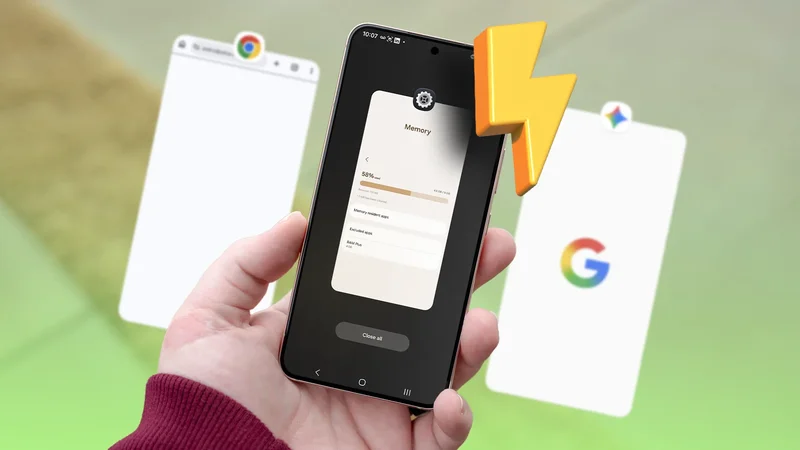
A couple of months ago, I had a random thought: How often do we see new features arriving first on mid-range or entry-level phones?
I don't remember an instance when a company did anything like that. Call it what you want, but my Samsung phone proved me wrong a couple of weeks later.
I randomly found a feature on my Galaxy handset and could go back in time to 2021 and recall when the company debuted a performance feature on a mid-range phone.
I remember the controversy it created back in the day, but I never tested it myself to form my own opinion about the feature despite owning many Samsung Galaxy phones for years.
This had to change, so I gave it a shot. I tested one of Samsung's most controversial performance settings for a week to see if it helped: RAM Plus.
What's RAM Plus, anyway?
It's built with a clear purpose
The "Plus" usually denotes something more powerful or superior in every other sense than the regular one. However, this doesn't apply to Samsung's RAM Plus feature.
This isn't a more powerful RAM, nor is it any superior in any shape or form. Samsung built it with a clear purpose: to provide users with more memory than what the physical RAM offers.
This is the only way Samsung could justify branding the virtual memory as "RAM Plus."
Samsung's RAM Plus feature can make some portion of the phone's storage act like RAM, creating an illusion that the phone effectively has more memory.
It's only fair to call it an illusion because you don't get more RAM for real. All it does is create space in your storage to make room for idle background apps.
Instead of consuming the real RAM, these background apps move to the space it created in your storage. This, in turn, ensures that apps launch faster and run smoothly, as more real RAM becomes available.
The open apps stay on physical RAM, while those running in the background capture some portion of the storage space.
It's not designed to work the other way around because of the massive speed and other performance differences between phone storage and RAM.
It makes more sense for the apps you are currently using to perform better than those in the background, and hence, open apps get priority over idle ones.
It certainly sounds smart and well-thought-out, but I wanted to see how much it impacts the performance of my Galaxy handset. My experiment found something I never expected from the RAM Plus functionality.
After a week of testing RAM Plus, I understood who it was for
It also revealed why RAM Plus is so controversial
RAM Plus is easy to find. You type RAM Plus in One UI settings, and it shows up on the screen. Alternatively, you can access it from the Device Care app.
I found it while exploring the Device Care app and noticed that it's enabled on my phone. This isn't only for the Galaxy S21, as Samsung enables the feature for all Samsung Galaxy phones by default.
If you don't need it, you can turn it off like I did. The goal was to check whether turning it off slows things down.
It was natural for me to expect a significant drop in app performance, even more so because I tested it on a phone more than five years old. However, the results took me by surprise.
I didn't see any noticeable degradation in app performance on my phone, even during multitasking. Turning it off didn't improve my battery life, either.
Despite the RAM Plus setting having no bearing on app performance on my handset, I didn't reject it outright and wanted to test it on more Galaxy phones to see if I was missing something.
This time around, I picked a low-budget Samsung Galaxy phone that has only 6GB of physical RAM, 2GB less than my S21. I saw a different outcome.
App performance is slightly on the slower side during multitasking, though I didn't notice any significant improvement in battery performance after disabling it.
I did the same experiment on two more Galaxy phones, but I didn't get the same results on both phones.
I observed a pattern after a week of testing. The handsets in the high midrange or Premium category with 8GB or 12GB RAM are not the phones that see the benefits of RAM Plus.
However, phones with 6GB or less RAM struggle a bit during multitasking when RAM Plus is turned off.
So, whether you need the feature depends on how much physical RAM your Galaxy handset has.
For a feature that doesn't provide a uniform experience across all phones, there is bound to be divided opinions about it.
Here is what I would do on my next Galaxy flagship
The flagship models I'm aiming for have 12GB of RAM, so I don't see the point of keeping it turned on. However, I'm not sure whether disabling it will unlock any real benefits, other than perhaps putting less stress on my phone's storage.
So, I'm largely indifferent to whether RAM Plus is turned on or off for the kind of phone I'm planning to buy next.