I once walked several streets from an event venue to find a café with Wi-Fi, all because my phone would not load an invitation. That's when I knew I had to do something about my connection problem.
My Google Pixel had been dropping connections for months before that. Halfway through a YouTube video, or a few Wiki articles into some research, pages would stop loading while the status bar still showed full bars.
It never happened on Wi-Fi, which is why it took so long to register as a pattern. At home and at the office, everything worked, so I wrote it off to poor reception and moved on.
I had already stopped my Pixel hopping to mobile data by changing one adaptive connectivity setting. That helped a little. But having to find a café made it clear the real problem was still not solved.
I called my carrier and got the canned response I expected. The fault turned out to be a setting on my own phone.
How Android's Private DNS works
And why it matters
DNS is the part of the process that turns a web address into the numeric address your phone connects to. I only know the basics of how DNS works, and the consumer side of it is not complicated.
Private DNS encrypts those lookups so nobody sitting on the network can read or tamper with them. Android has shipped it since version 9 in 2018, and it applies system-wide across both Wi-Fi and mobile data.
The menu gives you three options.
Off sends your lookups unencrypted, which is how phones worked for years and how plenty still work.
Automatic uses whatever DNS server your network hands the phone, then tries to upgrade that connection to encrypted DNS over TLS on port 853. If the upgrade fails, it drops to an unencrypted lookup, so you stay online.
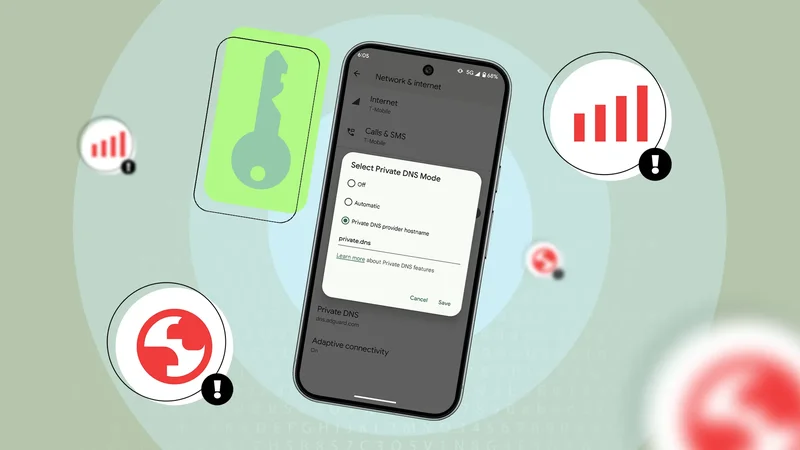
The third option, labeled Private DNS provider hostname, is where you type in a specific provider yourself. My phone was set to that one.
Strict mode and its issues
The failure only ever showed up on mobile data
Two clues eventually pointed me at the setting. The drops only affect mobile networks, and toggling airplane mode on and off fixed it instantly, every single time.
The airplane mode thing made sense when I read up on it. Cycling it tears down your network connections and forces the phone to rebuild them from scratch. As a result, I was repairing a handshake that kept failing.
When I finally opened the Private DNS menu, it was set to a provider's hostname I had long forgotten about. I set it when trying to disable mobile game ads (dangerous, I know). and I hadn't looked at it since then.
Entering a hostname puts Android into what the DNS specification calls strict mode. Every lookup has to reach that one host, over port 853, with a valid TLS handshake, and there is no fallback if it cannot.
That is the entire point of the mode, and it is a reasonable design. If the lookup cannot happen privately, it does not happen.
Port 853 is also easy to spot on a network, and some mobile carriers block it. When the port is closed or the provider is unreachable, DNS resolution fails and nothing loads, no matter how many bars you have.
I set the mode back to Automatic, and the drops stopped that day.
The security question
What Automatic actually costs you
After the interruptions ended, I started wondering what I had given up to get there.
It's less than I first assumed. Automatic is not the same as Off, because the phone still attempts an encrypted lookup and only falls back to plaintext when the network cannot support one.
What I lost was the guarantee. My lookups are still encrypted when the network supports it, and they go out unencrypted when it doesn't, and the phone doesn't tell me which.
I understand the argument for closing this gap. Private DNS is easy to ignore, and the case for leaving it on strict is a good one if your connection can take it.
I looked at setting Google or Cloudflare as the provider, which would put me back in strict mode using a resolver that's way more reliable than whatever was in there before.
I chose not to do it since the failure mode would be identical to the one that sent me looking for a Wi-Fi at a café. I would rather lose the guarantee than lose the connection.
Full bars were never proof of anything
Automatic has not caused a single network hiccup since the switch, and the interruptions have finally stopped.
It's interesting how long I spent blaming everything but the actual issue, because a full signal bar looks like evidence that the network is working.
Meanwhile, the one setting capable of breaking mobile data while leaving Wi-Fi untouched is a few menus deep where most people don't think to look.
If your phone keeps failing to load pages on mobile data with a good signal, and airplane mode clears it every time, check Private DNS before you call tech support.