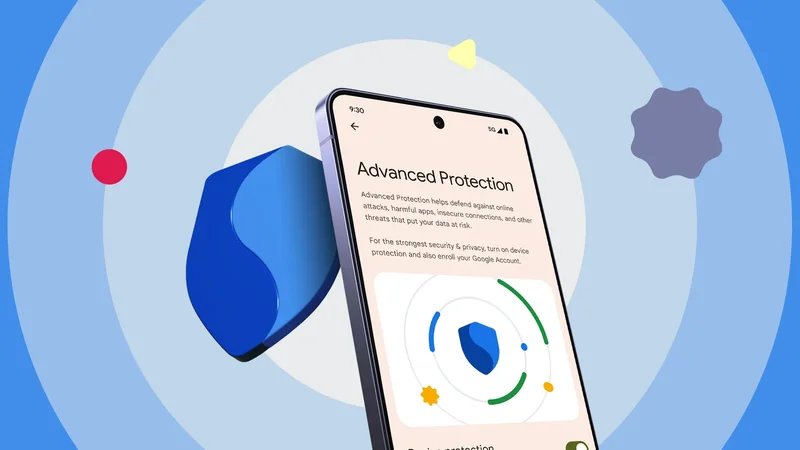
I spent a week with my phone in its most paranoid setting. Advanced Protection Mode arrived with Android 16.
Android 17 tightened it further by restricting which apps can use the accessibility APIs and more.
It's an Android native software toggle that bundles around 20 protections behind one switch and is aimed at activists and anyone who might be personally targeted.
Maximum security is famously miserable to live with. So I turned on Advanced Protection for a week as my daily driver to find out which restriction hurts most.
Day 0: What it takes to turn the fortress on
The Android 17 asterisk
Let's start with compatibility. You need Android 16 or newer. The feature is in Settings > Security & privacy > Advanced Protection.
The phone checks one thing on the way in and does one thing on the way out.
On the way in, it wants a screen lock and won't proceed without one, so set one up. On the way out, it may prompt a restart so the deeper system changes can engage.
That's the ceremony. To paint the whole picture before we go in, here's what's happening under the hood.
| Feature | State under Advanced Protection | Behavior |
|---|---|---|
| 2G cellular | Blocked | Hardware refuses 2G, emergency calls excepted. |
| App sideloading | Blocked | No installations outside Google Play. |
| Chrome JIT and WebGPU | Deactivated | Trades speed for a smaller attack surface. |
| Insecure Wi-Fi (WEP or open) | Restricted | WEP blocked entirely. Open networks lose auto-reconnect. |
| USB data | Restricted while locked | Charging works. Data and Android Auto need unlocking. |
| Inactivity reboot | Always on | Auto-reboots into a pre-decryption state after 72 hours locked. |
The accessibility lockdown I reached on day four only kicks in on Android 17, which reached stable on June 16, 2026, alongside the June Pixel Drop. On Android 16, even the latest QPR builds, Advanced Protection leaves accessibility permissions alone.
Day 1: Chrome loses its fast lane, and I didn't care
My browsing is not that demanding
I woke up expecting the security mode to derail my routine on the first morning. It didn't.
My mornings start with Chrome and a news scroll, which is where I thought the trouble would show up. Advanced Protection turns off Chrome's V8 JavaScript optimizing compilers.
Compilers are what make complex pages run fast. Google's analysis found that switching them off would have blocked roughly half of the exploited V8 bugs it patched.
Because of what I do on a phone browser, I lost nothing. The JIT shines in heavy web apps. Those aren't exactly phone tasks in my world.
My browsing is news, email, and a short scroll through social media. None of which pushes the engine hard enough to miss the optimizer.
There was one exception. I browse Twitter via the web client, mostly to cut down my time on it, and that felt sluggish.
The second cut is WebGPU, gone entirely to shut down advanced graphics attacks. Like JIT, you won't run into it until something asks for it.
Sites fall back to older tech like WebGL, so the cost is speed rather than breakage.
Days 2 and 3: The trade-offs I'd make again
A locked phone won't talk over USB
The first hiccup came when I left the house. It came from the USB-C port. A locked screen means no data handshake in this mode.
Everything comes back after you unlock the phone, which is a sensible place to draw the line.
It found me in the car. I plugged my locked phone into the dash and waited. Android Auto never loaded, and there was nothing on the screen to tell me what had gone wrong.
The working order is unlock, plug in, then wait for whatever has to happen to appear. Trivial when you know it. But before you know it, the cable takes the blame.
My Wi-Fi habits needed a small adjustment as well. Advanced Protection stops the phone from auto-reconnecting to insecure open networks and old WEP setups.
So walking into my favorite café no longer meant instantly being online. I had to approve the connection.
Still nothing close to broken, and I'd take that trade without thinking about it.
Day 4: Where Advanced Protection finally broke me
Sideloading is simply gone
Day four blew up my workflow. Advanced Protection cuts off the Android Accessibility Services API for anything that isn't a screen reader, switch input, voice input, or Braille tool.
Tasker was the first casualty. It leans on that API to read what's on screen and tap through other apps, so its permissions were revoked on the spot. Every profile I'd built around app-context detection died with them.
The blast radius goes beyond automation. Google's classification also shuts out launchers, cleaners, assistants, and antivirus tools.
There's no per-app override either. You either accept the loss or turn off the whole mode.
The accessibility restrictions were irritating, but the biggest compromise of the week was the absolute blockade on sideloading.
Under Advanced Protection, you cannot install an APK from outside verified stores or toggle Install from Unknown Sources.
Background updates for any sideloaded app already on the device also stop. This is where the all-or-nothing design bites.
Advanced Protection stacks its protections purposefully, and none of them will come off individually.
Wanting one restriction gone means wanting all of them gone, so that's what I did after finding all these new limitations.
Worth it for some, unusable for others
If you're a journalist, a politician, an executive, or anyone who routinely handles sensitive material, leave it on permanently.
Its defenses are aimed at physical forensic extraction and remote exploits.
If you're a normal user going through a hostile border or squatting on airport Wi-Fi, maybe turn it on for the trip and off when you're home.
If you're a developer, a power user who sideloads regularly, or someone whose apps depend on the Accessibility API, you can't really live with it.
The strongest security setting on a phone only matters if you can still stand using the phone.