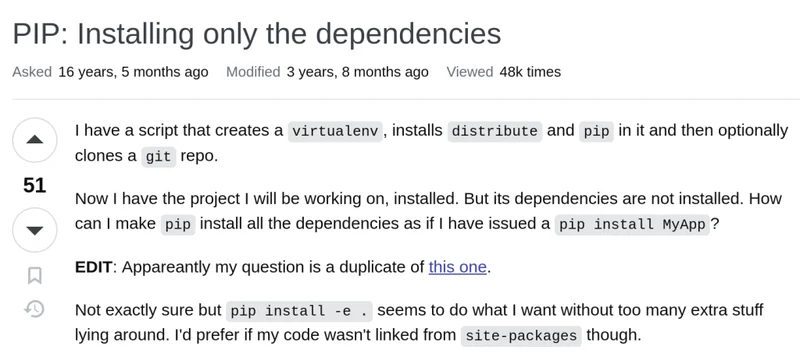
This has been one of my biggest annoyances working with Python and pip when dealing with projects where that are not meant to be installed as a package, how do you handle dependencies?
Think projects like application backends, python scripts, REST APIs etc
If you’ve ever struggled with this, you’re going to love this: a PR by Sebastian Höffner opened #13895 will add a new global flag to pip such that you can directly install any dependencies in your pyproject.toml without installing the package itself.
pip install --only-deps .
This is going, for me at least, be a huge boost in the way that I manage and distribute my projects on servers. Vastly simplifying poor manual workarounds that have built up over years.
Since it’s been more than a decade in the making, let’s cover the history of poor Python souls stuck trying to figure out how to install dependencies for their scripts or apps.
Requirements.txt?
python -m pip freeze [options]
Pip freeze is the classic sure fire first step towards reproducibility documenting exactly which package versions you have installed down to the specific version number.
You can then recreate any environment!
env1/bin/python -m pip freeze > requirements.txt
env2/bin/python -m pip install -r requirements.txt
Pip freeze exports all dependencies (including dependencies of dependencies)
These dependencies are quite unique to your environment and hardward. Attempting to install from freeze quickly breaks down when you recreate environments on other machines. Different Python versions, OS versions, libraries or machine hardware end up with different requirements of package versions (and full packages as well).
Cut the \=\= off
This is my oldest memory of working around the issue, it certainly wasn’t the best, but I clearly remembering keeping this around for when I needed it 15 years ago:
pip freeze --local | grep -v '^\-e' | cut -d = -f 1
For me, and likely much earlier others, this sometimes morphed into just manually adding the list of dependencies in a requirements.txt, which I think was a pretty good shortcut.
pip install -e .
This command has correctly worked the entirety of Pip (2008), and is the fastest way to get pip to install a list of dependencies. These were historically found in Python’s setup.py (among others) which predated pip. Dependencies have since migrated to pyproject.toml.
But pip install -e . installs the package itself
This works great for libraries and some projects, but it becomes a headache for applications / API frameworks where you may have wrappers running the python code.
Editable installs are also not best practice for deployment
Installing as a package also created distribution egg files up until 2021, which would become stale if not careful.
16 years of people looking for workarounds
People, including me, have asked for decades on StackOverflow for how to install dependencies:
PIP: Installing only the dependencies (16 years ago) -> Use pip install -e .
pip freeze without dependencies of installed packages (15 years ago) -> Use a third party package pip-chill
pip freeze without dependencies of installed packages (10 years ago) -> Use a third party package pipreqs
Is there a smarter way to build requirements.txt files? (2 years ago) -> Use a third party packages poetry or hatch
Installing dependencies without the package (1 year ago) -> Use a third party package uv
Look at that train of StackOverflows, Reddit and Python.org discussions. There are hundreds of posts like these over the years, but reading them in order you start to see that the third party libraries were really focusing in on solutions that were more and more useful.
Ground work laid: Pyproject.toml \& dependencies
After the introduction of Pyproject.toml, PEP 517 in 2017 added hooks to Pyproject for [build-system] such as pip, hatch or later uv to use.
Another key, which will be used in the ultimate solution, was the 2023 PEP 735 (Dependency Groups) which were introduced to Pyproject.toml to group types of dependencies such as dev such the user can select which groups of dependencies are needing for a particular install.
The party crasher: UV
Finally, we get to the Python ecosystem darling uv that showed itself to be so useful that it has likely spurred a whole host of changes to Python / Pip that were previously stuck to finally get the attention they deserved. I think it’s worth noting, that while in the posts above there have been may iterations of build tools used for many different use cases, none ever reached the popularity that uv has achieved.
The uv solution: uv sync --no-install-project
UV crashed onto the scene and took advantage of all the ground work laid previously and showed how much pent up demand there was for build tools with options that were fast and whose user facing CLI solved the real world problems of users.
Pip: A GitHub Issue takes hold
Though pip had similar issues, like #7218 Add pip option to install dependencies, dating back 7 years, issues and discussions always burned out or were eventually closed. After the introduction of pyproject.toml and the fast growing popularity of uv it suddenly started to make a lot more sense.
In September of 2022 issue #11440 Add –only-deps (and –only-build-deps) option(s) took hold, and continued to grow, currently with 168 likes. And on April 8 of 2026 Sebastian Höffner opened #13895 Add support for pip install –only-deps.
As of now, it’s looking like these changes might make it into Pip 26.2 for the month of July 2026.
The proposed solution
pip install --only-deps .  # project.dependencies
pip install --only-deps .[doc]  # project.dependencies and project.optional-dependencies
Höffner’s pull request is adding a global option which will install the dependencies of the project, based on your `pyproject.toml` without installing the project itself. Finally after nearly 2 decades of Pip, the ability to install dependencies for application style projects or scripts has arrived.
2026 An elegant solution that took a community effort
Looking back at the decade of work leading to this there are so many steps that needed to be taken, by python community peps, by pip maintainers and eve by third party packages. But now that we are here a small but high quality of life change is incoming for Python’s pip 26.2.
I hope everyone else enjoys this as much as I know I will.