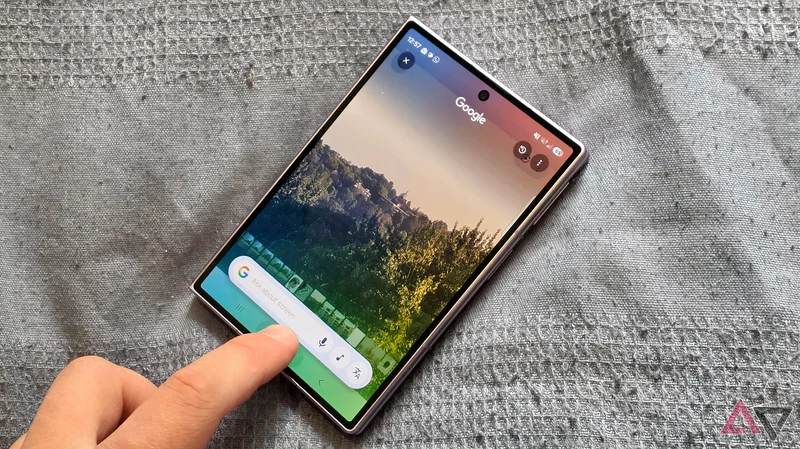
Circle to Search is a tool that has been available on Android phones for two years now, but tech like this needs to bed in a while before its best uses are discovered, and I've finally woken up to my favorite.
There are plenty of great use cases for Circle to Search, but the oft-discussed ones are productivity-based, offering you shortcuts on your smartphone or summarizing on-screen information. It's a time-saving tool, basically, but there's a lot more to it.
I've begun using it to learn more about the world around me — and it's so smart, I'm struggling to understand how it knows what it does.
Circle to Search for landmarks I could barely see
My phone is the ultimate tour guide
I live in London, UK, a city which has spent almost two thousand years growing out, and occasionally up.
Walking around it, you often see centuries-old churches poking out through the canopy treelines of neighborhoods, or old buildings amongst suburban neighborhoods.
I enjoy using Google Maps, and my own sense of geography, to work out what nearby landmarks or towers are. And that's just what I was trying to do during the recent solar eclipse, when I sat on a local hill waiting for something to happen.
From my vantage point, I could see some large copper domes rising above the woods in the distance, and was curious what they were. But Google Maps wasn't showing me any landmark points in that general direction.
After a while, I gave up searching and had an idea: I took a picture of the domes using the camera app, pressed and held the home icon to bring up Circle to Search, and circled the domes.
Within seconds, my phone told me what the domes were from: a local Catholic church and a listed building (although the search results weren't wholly accurate; some thought I was in Rome, Berlin, and Slovakia).
Somehow, my phone figured this out with the barest of information; the picture was blurry, taken at 10x zoom, and you could really see only the domes, with trees blocking the rest of the view.
Even if I knew the church was there, I wouldn't have pieced this together. And somehow, despite those aforementioned rival copper-dome churches, Circle to Search knew which I was looking at.
As an addendum, when I was trying to recreate the search result to take pictures for this article, the phone struggled. It took me through a few similar buildings, including one in Montreal and an observatory in Greenwich, before finding the right one.
What helped was keeping my search box wide; when I circled only the tower, the phone gave wrong results, but expanding the search to include the surroundings gave me the correct result.
Circle to Search for traveling and visiting places
The great landmark recognizer
This isn't the first time I've used Circle to Search in a similar way, though it's the example that really turned me onto how smart Circle to Search is.
I'm slowly completing a series of walks which encompass London — 24 hikes take you through a full loop of the city's outskirts — and the route offers countless scenic viewpoints across the city and its skyline.
A few times over the legs I've done, I've been confronted with views of my city, with the distinctive skyscrapers and towers joined by constructs which are unfamiliar to me.
In each case, I've found Circle to Search useful for identifying the building. More often than not, it's a distinctive building that I'm seeing from an odd angle, but it's helped me learn more about my city.
I've also used the feature while on holiday to help me understand more about a location I'm new to.
I love the "new city" feeling of seeing citadels on hills, statues in quiet squares, or distinctive buildings alone on hills, and Circle to Search has always proven itself adept at recognizing architecture from minimal clues.
Other Android Police writers have listed it as a feature that makes your summer trip less stressful, and I love it for discovering more about the place I'm visiting.
The best tools add, they don't replace
Too many new smartphone features focus on changing how you operate on your phone: speeding up processes, cutting out "middle-men" tools, giving you quicker information.
But to me, the best uses of Circle to Search are for doing things I couldn't previously do on my phone. Recognizing distant landmarks certainly falls into that category, as does learning more information about them.
It took a simple but genius function of the tool to clue me in. Now I understand why people call Circle to Search the cheat code you didn't know you had.