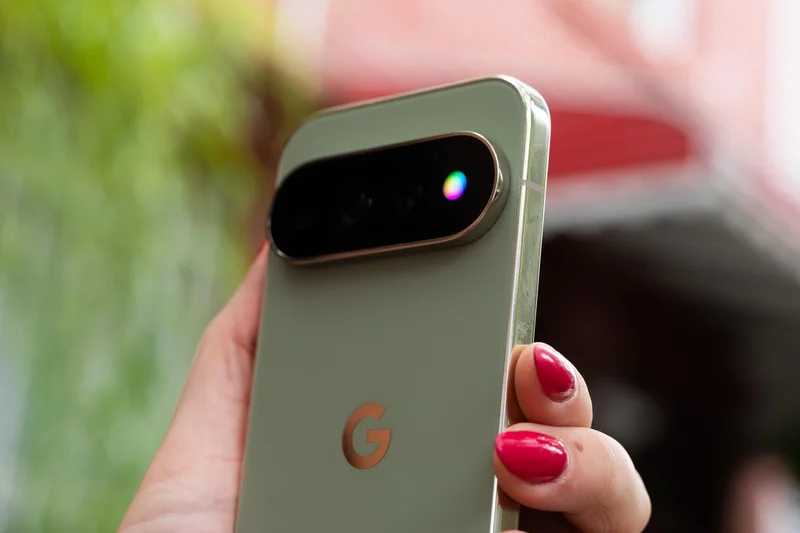
Google’s new HiLight notification LED on the Pixel 11 Pro is nearly useless. Out of the box, the only two things it can glow for are when the phone is face down and you’re interacting with Gemini, or when you get a call from a favorite contact. And even then, it can only glow one of five colors!
This app makes the Pixel 11’s HiLight feature actually useful
Devs are already doing what Google won’t.
Devs are already doing what Google won’t.
This is a massive wasted opportunity for a feature that used to be so beloved on older Android phones, so developers have wasted no time doing what Google won’t.
X user Dhananjay_Tech developed a new app called HiLight Studio, which lets you do practically anything you want with the HiLight LED array. Did you receive a new Slack notification that mentions a certain word? Make HiLight pulse in a rainbow array. Get a new text? Make HiLight spin in a wave of green. You can even control things like timing per cycle, brightness, intensity, and saturation.
Unlike the official feature from Google, you can select any color you want through eight pre-selected colors, or a classic color slider. HiLight Studio even lets you import and export presets, so you can share them with your friends.
The app isn’t on the Play Store quite yet, so you’ll have to grab it from GitHub and side-load a couple of apps to make it work. I know I’m going to be using the heck out of this.
Follow topics and authorsfrom this story to see more like this in your personalized homepage feed and to receive email updates.
Most Popular
- Google’s Pixel 11 Pro Fold feels like the end of an era
- The Pixel 11 Pro is a great phone, no thanks to its flashiest new features
- Amazon seemingly leaked Jason Statham’s entire Mutiny movie
- The Pixel 11 isn’t the best Pixel of 2026, but it’s the smartest buy
- Nvidia’s new financial strategy does not compute