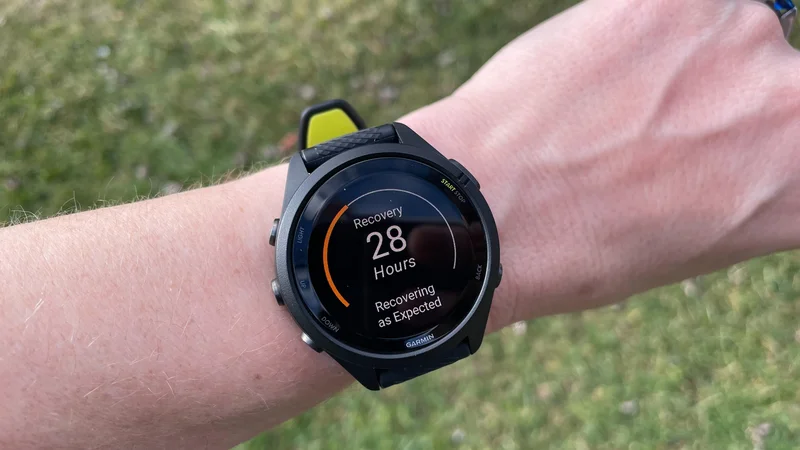
Garmin's fitness watches often give you a "recovery time" after a workout. For example, after one easy run, it told me that I need 21 hours before I'll fully recover. I've come to expect long recovery estimates from Garmin, but they don't mean what you might think. For example, you're not expected to fully rest during that recovery time. Here's what you need to know.
What is Garmin's recovery time feature, and where can you see it?
You’ll see your recovery time in the end-of-workout summary that you get right after you finish a workout on many Garmin watches. It’s also available from the Training Status glance on your watch, or the Training Readiness tile in the Garmin Connect app if you have that. On my Forerunner 570, I can even set it as one of the little complications on my main watch face. The recovery time feature is available on most Enduro, Epix, Fenix, Forerunner, Instinct, Venu, and Vivoactive watches, among others (Garmin has a full list here).
Garmin defines recovery time as “an estimate on how long it will take for you to fully recover and be ready for your next workout of the same intensity.” Note that phrase, fully recover. No athlete is fully recovered at the start of every training session; it's normal to carry a little fatigue from one session to the next. This number is just giving you a sense of how long you’ll be feeling the effects of this workout.
Do you have to wait until the recovery time hits zero before working out again?
No! This is probably the biggest misconception about the feature (and it explains why the recovery times can be so long—up to four days). The idea isn’t that you have to rot in bed until the timer is up. It’s just that between now and when the timer hits zero, you’ll be operating with at least a little more fatigue than usual. You can read Garmin’s explanation here. They say: “When your timer hits zero, it means you are ready to gain the maximum benefit from your next hard fitness-improving (i.e., training effect: 3.0+) type workout.”
So if I get a 38-hour recovery time after a hard workout, that’s just a signal that I won’t be in tip-top shape tomorrow. If I were planning the hardest workout of my week for tomorrow, I might want to consider delaying that workout so I can do it later on fresh legs. But if I’m planning on going for a recovery run instead, there’s no need to change my plans.
Should you ignore Garmin’s recovery time?
I mean, there’s an argument for ignoring any metric a watch gives you, at least some of the time. You don’t need to let Garmin’s recovery time run your life. If you still want to get your workout in, and you feel up to it, feel free to ignore the recovery numbers.
That said, I do find the recovery time useful as a gut check. If I get a long recovery time, that’s a reminder that I did actually work pretty hard, and I should make sure my efforts are balanced over time with easy and hard days. Any good training program will keep that in mind anyway—with or without a watch putting a number on it.
Why does my recovery time keep changing?
Garmin is constantly updating its estimate of how far away you are from full recovery. If you do another workout before the timer hits zero, the number will go up again because you’ve given yourself more work to recover from.
On the flip side, if you got a good night’s sleep, you may find that the number shrank more than expected during the night. Again, you don’t want to read too much into this number; it’s just an estimate, after all. But it’s a good sign if you find you’re recovering quickly from your hard workouts.