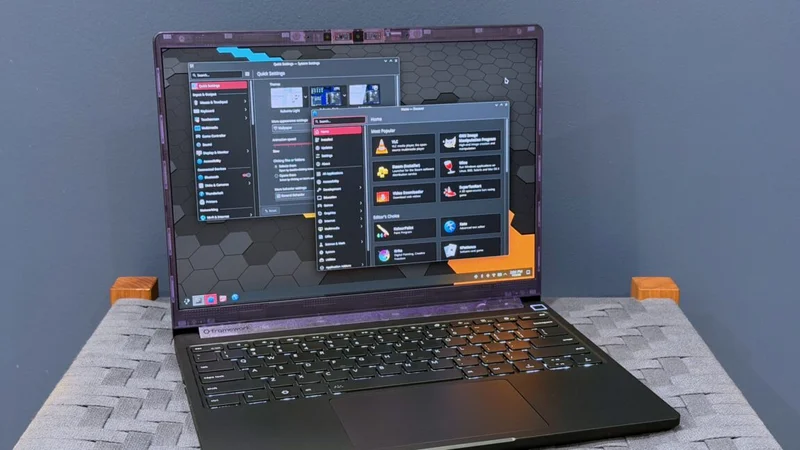
I’ve liked the Framework Laptop 13 since the first time I used it, partly because I just think the idea of a repairable and upgradeable laptop is cool and partly because it’s not Yet Another Ultraportable Trying To Be A MacBook Air Clone. But the design has always had real shortcomings—the most noticeable and serious being its mediocre battery life.
Enter the Framework Laptop 13 Pro. While all previous Laptop 13 refreshes have tinkered around the edges with the original design (a tweaked lid design here, new hinges or new speakers there), the Laptop 13 Pro is as close as we’ve gotten to a second-generation revision for the original design.
This means that it breaks backward compatibility for some (but not all) Laptop 13 components, most notably the bottom case, the keyboard and trackpad, and the original 55 WHr and 61 WHr battery designs. But by allowing itself to make larger changes to the design, Framework has made major strides in battery life and general fit and finish.
The result is Framework’s nicest-looking, nicest-feeling, most polished laptop design. It’s also possible for existing Laptop 13 users to get some or all of its benefits by retrofitting their laptops with new parts. That’s good because the Laptop 13 Pro is also quite expensive, even by 2026’s ridiculous standards for consumer tech—no model costs less than $1,500, and you’d spend nearly $3,000 to get the version I was sent for review.
Design changes
The first thing you’ll notice about the Laptop 13 Pro is that it has traded in Framework’s traditional, more industrial-looking silver for an anodized dark gray “graphite” finish. On the “dark-finished aluminum” spectrum, it’s about as dark as Apple’s Midnight finish but without the same bluish tint; it does attract fingerprints in a similar way, though. Framework is offering Laptop 13 Pro parts in the original aluminum finish, but they are primarily intended for original Framework Laptop owners who are buying upgrades.