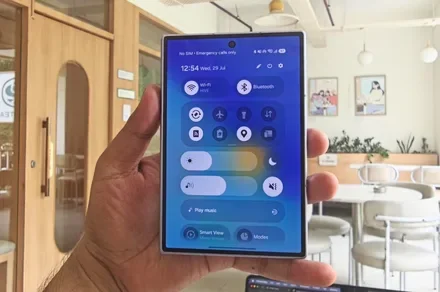
Samsung’s foldables keep sneaking in these little quality-of-life wins, and this one might be my favorite yet. Redditor ultima40 discovered that the Galaxy Z Fold 8 and Fold 8 Ultra now remember rotation lock separately for each screen.
So if you fold and unfold your phone throughout the day, switching between the cover screen and the tablet-like inner display, your phone will keep track of how you like each one oriented.
Prefer landscape on the Fold 8 Ultra’s inner screen? Set it once, and it stays that way every time you open the phone, no need to touch the rotation lock again.
Wasn’t this already possible?
You could get a similar result before, but only by digging into Routines and manually telling your phone to lock a specific orientation whenever it closed. It worked, but it always felt like a workaround rather than an actual feature.
Having this built directly into One UI makes the whole experience smoother and far less fiddly. We tried this on our own Galaxy Z Fold 8, and it worked flawlessly. Finally, I would be able to read articles in portrait mode on my Fold without having to fiddle with the rotation lock.
Will older folds get this too?
I don’t see any real hardware reason this should be limited to the newest Fold models. Here’s hoping Samsung extends this to older Fold devices once the One UI 9 update rolls out more broadly. It’s a small tweak, but small tweaks like this are exactly what make using a foldable feel less annoying.
This isn’t the only quality-of-life tweak Samsung has sneaked into its foldables lately either. We recently learned that the Galaxy Z Fold 8, Z Fold 8 Ultra, and Z Flip 8 support the new USB webcam feature. Between this and the new rotation memory, it’s clear Samsung’s foldable software keeps adding features that actually matter to the everyday user.