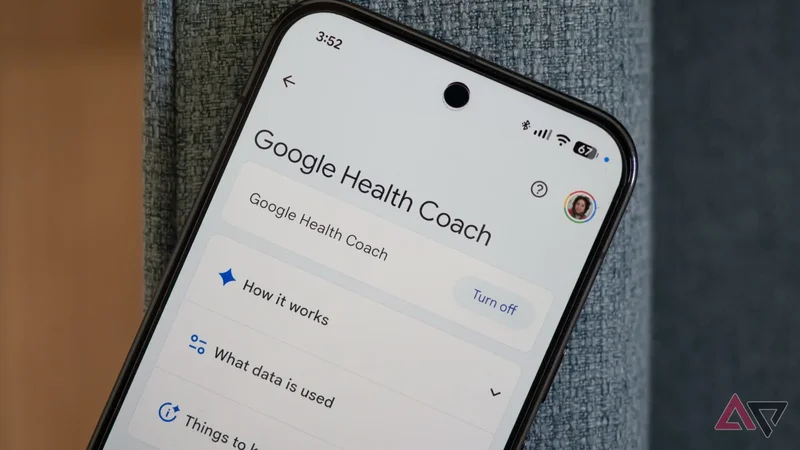
When Google Health rolled out with the new Health Coach in tow, I had high hopes. It promised to turn all my years of Fitbit data and health tracking into something useful and actionable for me — something that the old Fitbit app never did.
But the reality turned out to be more disappointing than this. I've been giving the Coach leeway for the last couple of months, hoping it would turn things around with some promised updates, to no avail.
So I took the decision and decided to rip off the band-aid: I turned off Google Health's Coach, and I don't regret it.
Google Health's Coach wasn't that useful to me
I already knew everything it told me
My main gripe with Google Health's new Coach is that it didn't tell me anything I didn't know. It spent its time analyzing my sleep and my activities and telling me exactly what the graphs were already saying.
I don't need to read a bunch of words to know that a two-hour night's sleep is not enough, that my heart rate was elevated, and that I should take it easy. But I had an early flight and couldn't sleep more than that! I knew the context the coach didn't.
Nor do I need a mother-like disapproval look each time I push myself and walk more or go on a difficult hike while traveling. That's the whole point of traveling; I don't need reminders that I should rest. I'm not resting on a vacation.
Even on regular days, there's little the coach provided in terms of extra context. The only external data not collected by my Pixel Watch 4 that it used was the weather. It said I should walk before 10 AM to avoid the midday heatwave. Groundbreaking.
I slowly realized I'm not the target market for the Health Coach. I'm a pharmacist who understands the significance of health metrics, and I've been a Fitbit user for more than 10 years, so I know how to read a graph more than words.
Turn off the coach and get a Fitbit-like experience
Once you manage to find the option
Gradually, I realized that Google Health's Coach was taking up more of the app than I liked and hiding the graphs that I preferred to look at. So I decided to turn it off. The option is hidden under many menus, so let me walk you through it:
- Tap your profile photo in the top right of the Google Health app.
Choose **Google Health Settings**.
-
Scroll down and tap **Manage data and privacy**. -
Go to **Manage all**. -
If the coach is enabled, you'll see a **Google Health Coach**option at the bottom. -
You can finally **Turn off**the coach. -
And, once again, read the warning pop-up, and affirm **Turn off**.
Google explains that turning off the coach stops its analysis and disables a few extra features. No more chatting with the coach, no more logging activities by talking in natural language, and no more tailored fitness plans.
Personally, I'm fine with the trade-off. And as you can see in the two screenshots above, this streamlined my Google Health experience with simple graphs and cards for activities and sleep — no extra talking needed.
It's easy to turn it back on
If you miss the extra babble
The simpler and more straightforward Google Health experience isn't for everyone. The app seems bare bones without the coach, as if Google had designed the entire experience around its insights and made the app more... boring without it.
For me, that's an acceptable compromise. I extended the widgets on the Today tab to take up six rows instead of three, giving me quicker access to more health data points, just like the old Fitbit app. Below that, I just get simple cards for tracked activities and sleep.
But if that doesn't work for you, it's very easy to re-enable the Google Health Coach. Either use the top card on the Today tab that asks you to Start your journey with the Google Health Coach or tap the blue chat button to talk to the coach.
Both options take you through the onboarding steps to enable Health Coach again, see what kind of information it will have access to, and authorize that. Once you do, the coach comes back into the app, telling you to sleep earlier and not exercise in a heatwave.
I'll come back to the coach when Google makes improvements
For now, Google Coach will remain disabled on my phone. I know Google is planning several updates to make it more insightful and tailor its feedback to users, so this might change soon.
The company has already made a lot of improvements to the entire Google Health app, proving that it's listening to users, so I hope the same enthusiasm and changes come to the coach, too.
I'd love a more personalized Fitbit experience that understands all my years of tracked data, knows the impact of various changes on my own body, and most importantly, can access other Google services to know if I'm traveling or working extra hours.