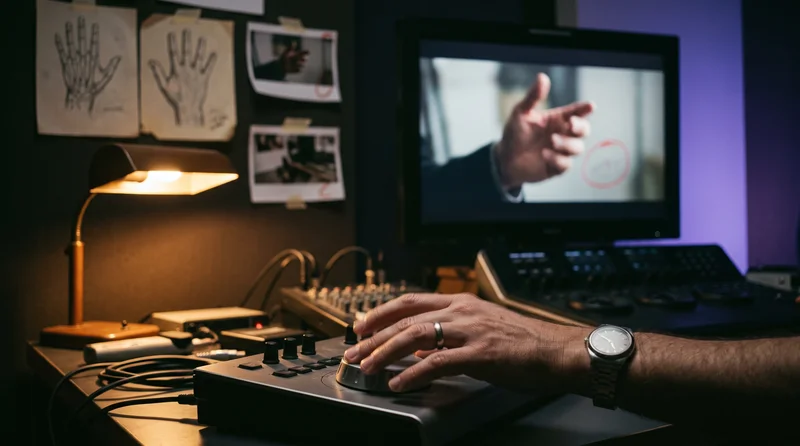
The shot was simple: a character reaches out and touches a doorframe. Six seconds, one take, nothing dramatic. On my second watch I noticed her right hand had picked up a sixth finger somewhere between frame 40 and frame 90, and by the time she pulled back it had quietly merged into the frame itself. Nobody catches that on the first pass at normal speed. I caught it because I’d learned to stop trusting the first pass.
Warped hands and faces in AI-generated video happen because diffusion models struggle to hold complex, high-detail geometry steady across time, and the fix is mostly prevention and inspection, not a better prompt written after the fact. That’s the one-sentence version. Here’s the checklist I actually run, built after enough wasted regenerations on Lost Garden, my AI-animated series, to stop treating this as bad luck.
What Actually Causes Warped Hands and Faces in AI Video?
It helps to know what you’re fighting before you try to fix it.
Video models generate frame by frame (or in short chunks) while trying to keep everything spatially and temporally aligned: the same hand, in a slightly different position, forty times a second. Hands are a worst case for this. They have more joints, more overlapping surfaces, and more possible positions than almost any other part of the human body, and most training data simply doesn’t cover the full range of ways a hand can bend, grip, or turn away from camera. Faces are a different problem: less geometric complexity, but far less tolerance for error, because human perception is extremely tuned to spot anything even slightly wrong with a face.
Add motion to either one and the model has to solve the same puzzle over and over, frame after frame, with no memory of what it decided last time. Small inconsistencies compound. A hand that looked fine at frame 1 can look wrong by frame 60 simply because nothing forced the model to stay consistent with itself.
The model isn’t broken. It’s guessing at temporal consistency it was never given a hard rule for, and it usually guesses fine, right up until it doesn’t.
How Do You Prevent Artifacts Before You Even Generate?
Most of the fix happens before the render, not after.
- Keep the prompt simple and singular. One clear subject, one clear action, one camera behavior. A prompt trying to describe a hand gesture, a facial expression, and a camera move at once gives the model three hard problems to solve simultaneously, and something usually gives.
- Keep hands out of the hard positions. A closed fist, a hand at rest, or a hand holding an object generates far more reliably than an open hand mid-gesture or fingers spread toward camera. If the shot doesn’t need an open hand, don’t ask for one.
- Use a negative prompt where the tool supports it. Explicitly pushing away from “extra fingers, fused fingers, deformed hands, extra limbs, distorted face” measurably reduces how often the model reaches for those failure modes.
- Generate shorter segments. Most of the current top-tier models cap out around 5 to 15 seconds of reliable coherence before drift accumulates. Asking for a long, complex shot in one pass is asking for more frames where something can go wrong. Generate the short version, then cut, rather than one long take that quietly falls apart in the middle.
None of this is about the model being smarter. It’s about giving it fewer chances to fail.
Diagram: no memory between frames, why small errors compound.
What Should You Actually Check Before You Trust a Take?
This is the step most beginners skip, and it’s the one that saves the most time.
Watch every take at full resolution, not the compressed preview thumbnail. Scrub it frame by frame through anything with visible hands, fingers, or a face in motion, especially where the character turns, reaches, or changes expression. That’s where drift shows up first. A take that looks perfectly fine playing at normal speed can still have a frame or two where a hand briefly has the wrong number of fingers; most viewers won’t consciously register it, but it reads as “something’s off” even when they can’t say why.
I built this into my own process the hard way on Lost Garden: an early scene shipped to a first cut with a hand that flickered from four fingers to six for about eight frames. Nobody flagged it in review. Someone flagged the scene as “feeling a little uncanny,” and it took a frame-by-frame pass to find why.
Diagram: the four-item prevention checklist, before you generate.
How Do You Fix a Shot That Already Has a Warped Hand or Face?
Sometimes the take is otherwise perfect and regenerating from scratch means losing a performance, a camera move, or a background you already like. That’s when a targeted fix beats a full regeneration.
Inpainting is the standard fix. Most current tools let you mask just the affected region, hands, fingers, or a section of a face, and regenerate only that area while the rest of the frame stays untouched. It usually takes two or three attempts to land cleanly, which is still far cheaper than re-rendering the whole shot.
There’s also a new option worth knowing about. In April 2026, Netflix open-sourced VOID, a video object-inpainting model built on CogVideoX that doesn’t just paint over a masked region. It tries to keep the surrounding physics plausible, so a removed hand no longer holding a cup means the cup falls instead of floating in place. In Netflix’s own benchmark, testers preferred it over Runway’s equivalent tool 64.8% of the time versus 18.4% for Runway. Running it locally needs a serious GPU (40GB or more of VRAM), so it’s more of a studio-scale option right now than something you’d casually run on a laptop.
On the commercial side, Topaz Labs shipped a model called Astra in its 2026 lineup, built specifically to clean up distortions coming out of generative video tools like Sora and Kling, alongside its longer-standing upscaling and frame-interpolation models. If your problem is “the shot is otherwise great but has a soft glitch,” a dedicated cleanup pass like this is often faster than a full regeneration and cheaper than learning a new inpainting workflow from scratch.
Diagram: the four-step fix pipeline for a shot that already has the problem.
What Mistakes Do Beginners Make Here?
A few patterns show up constantly with people new to AI video:
- Trusting the preview instead of the full-resolution export. Compression hides exactly the kind of small flicker that ruins a shot on a real screen.
- Asking for too much in one generation. A complex hand gesture, an expressive face, and a moving camera together is three failure points, not one.
- Regenerating the whole shot for a one-frame problem. If 90% of the take is good, inpainting the bad five percent is almost always faster than starting over.
- Not logging what fixed it. If a specific negative prompt phrase or a specific inpainting pass solved the problem, write it down next to the shot. You will hit the same failure mode again in a different scene, and “I fixed this once before” is only useful if you remember how.
FAQ
Why does AI video always mess up the hands specifically?
Hands have more joints, more possible positions, and less consistent training coverage than almost any other body part, which makes them the hardest thing for a model to keep geometrically correct across moving frames.
Can you fix a warped hand after the video is already generated?
Yes. Inpainting tools let you mask just the hand and regenerate that region without touching the rest of the frame, and dedicated cleanup models built for this (like Topaz’s Astra) exist specifically for post-generation fixes.
Does writing a longer, more detailed prompt fix hand and face artifacts?
Usually not. A simpler prompt describing one clear action tends to outperform a longer one trying to control gesture, expression, and camera movement at once.
Is this getting better over time?
Yes, noticeably. Model updates through 2026 have narrowed the gap significantly, and dedicated post-processing tools built specifically for generative-video artifacts (rather than general video enhancement) are new this year. It’s not solved, but it’s no longer the constant fight it was two years ago.
The Actual Point
None of this is exotic. It’s the same lesson every AI filmmaking problem eventually teaches: generation is cheap, and the expensive part is everything around it, catching the problem, deciding whether to fix or regenerate, and remembering what worked last time so you don’t relearn it on the next shot. I keep this checklist, along with the shot notes and reference stills for each scene, inside ScreenWeaver, the workspace I’m building so a fix like “mask the left hand, regenerate, it held” doesn’t just live in my head until the next time it happens on a different scene of Lost Garden.