The Samsung Galaxy S21, which is my primary handset, is now more than five years old. It's old enough to force me to move on and buy a new model by choosing from Samsung's current best Galaxy phones.
I'm not moving on from it not because of its age, but because I need more storage on my phone. Since it'd take a few more months to buy a new phone, I had to free up some storage on my S21 as a temporary solution.
I didn't want to use third-party storage cleaner apps for this, so I looked for a built-in solution, and I found one. However, I never expected it would free up storage in the way it did.
I used a preinstalled app called Device Care on my Samsung Galaxy phone to free up 10GB of storage without deleting a single app. Here is how I did it.
Samsung's Device Care app has an underrated storage manager tool
It helps you free up storage by targeting the files you may have forgotten about
Device Care is a built-in system application available on all Galaxy handsets. You can find it in Settings or by using the search option on the home screen.
The system app takes care of your device by quickly performing maintenance tasks that would otherwise take much longer. However, I came here for its help to restore a few GBs of storage on my phone.
It was largely successful. I freed up as much as 10GB of storage on my phone without deleting a single app.
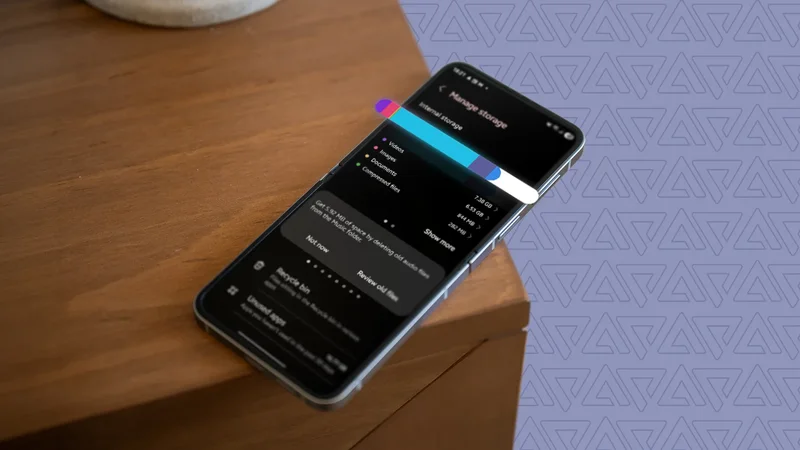
After opening Device Care on my S21, I tapped the Storage option to see a breakdown of which file types occupy how much storage space.
This may help you understand where you need to pay more attention to free up storage on your phone. However, you need to spot files you no longer need if you don't scroll to the bottom.
I didn't make that mistake. I scrolled and found some handy tools that suggested what I could delete to free up storage on my phone.
In its first suggestion, it asked me to review some old audio files that occupied 100MB. I reviewed them and couldn't recall the last time I listened to them.
This was a signal that I no longer needed them on my phone, so I deleted them. Similarly, I got back 300MB of space by deleting compressed files from the Downloads folder.
Next, I restored 2GB of storage by deleting old screenshots from the Screenshots folder. In addition, the Device Care app asked me to review 3GB of files in the Downloads folder that I haven't used recently.
It also pointed out that I had 31 invisible backups, occupying almost 150MB of storage. I reclaimed it with a couple of taps in the Device Care app.
Archiving apps is the smartest way to reclaim your storage
It restores storage without even deleting apps
Device Care's storage manager showed that I had 16.77GB of unused apps. That's a lot of storage for a phone that comes with only 128GB of storage. Still, I didn't want to delete a single one of them.
Instead, I archived 40 unused apps on my Galaxy S21 and freed up 5GB of storage space using the Device Care app.
When you archive apps, the apps aren't permanently deleted. It keeps your personal login details and settings, but removes most of the installation files.
The app data also remains on your home screen and app drawer, and tapping it will restore the app.
Device Care allows you to archive apps individually. While it highlights the number of apps you can archive, you can unselect the ones you don't want to archive. The fewer archived apps, the less storage you'll reclaim.
This is the most intelligent way of freeing up storage space, as it doesn't permanently delete the app.
Samsung's Device Care completely changed how I free up storage
Previously, I freed up almost 25GB of storage space on my Motorola Edge 50 Neo using the Files by Google app.
I could've saved that much on my Galaxy phone as well had I deleted those unused apps, as I did on my Motorola phone.
However, if I had the option to archive unused apps in the Files app, I wouldn't have removed all of them from my phone.
Instead, I would've taken a middle path and left some of the unused apps as is. That's the change Device Care's storage manager brought about.
On Android phones where I don't get a single button to archive unused apps, I now prefer to archive certain apps individually to temporarily free up storage.