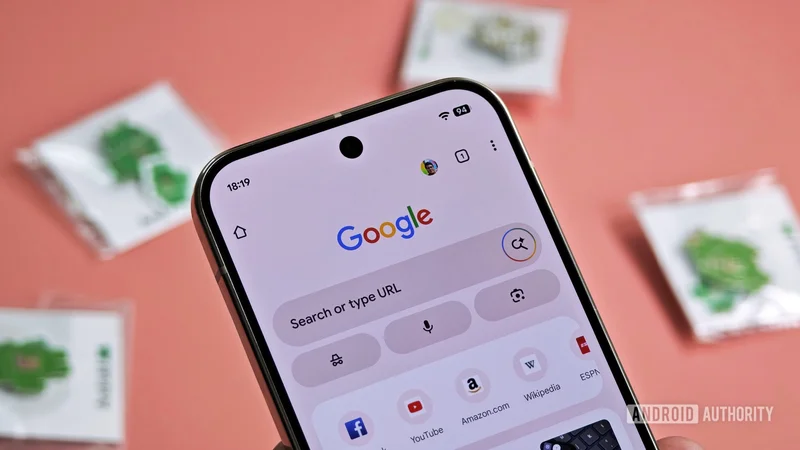
Chrome on Android is falling behind — here are 5 features it needs now
Aug 6, 2026 — 6:00 AM ET
Chrome on Android hasn’t kept up. That’s not a hot take — it’s just where things stand. And this is something you only realize once you step out and try other browsers like Firefox, Brave, Edge, and Samsung Internet.
Extensions, proper privacy controls, customization, and background playback — competing browsers have been checking these boxes for years. The list of things Chrome still hasn’t gotten around to is longer than it should be, and it’s high time Google closed the gap.
If Chrome is to stay competitive, here are five missing features it needs to add right now.
What's Chrome's biggest weakness on Android?
Give us extensions already
This one is a no-brainer. At this point, almost every other popular Chrome alternative — Firefox, Microsoft Edge, Kiwi Browser, Samsung Internet — supports extensions on Android. It’s the most tempting reason to switch browsers.
Extensions can unlock many of the features Chrome currently lacks. It can bring in third-party password managers, price trackers, and, of course, ad blockers. I get that Google, being an advertising company, doesn’t exactly want people blocking ads, but that’s precisely what’s currently pushing people away from Chrome. Adding extension support on Android seems like the obvious fix.
To be fair, Google is working on a version of Chrome for Android that supports extensions. That sounds promising until you realize it’s only for Android-powered PCs, not for phones or tablets. If there’s one thing that could do Chrome a world of good, it’s this.
The interface needs more flexibility
You know Chrome isn’t exactly customizable when the ability to move the address bar to the bottom makes headlines. That’s a low bar. Most popular Android browsers I’ve tried have one thing in common: flexibility. They all let you tweak the toolbar, the main menu, and the new tab page. Chrome is pretty barebones by comparison.
For instance, I like how Samsung Internet lets you add a tab bar at the top, so you can flip between pages like you would on a desktop. Chrome offers nothing close to that. Even its toolbar customization is thin. It only lets you add one of the five options: new tab, share page, voice search, translate, or bookmarks. Browsers like Samsung Internet, on the other hand, let you personalize the entire toolbar. You can add shortcuts for features like read aloud, text size, desktop site, summarize, close tab, and plenty more.
Chrome’s rigidity also carries over to the main browser menu. It doesn’t let you add, remove, or reorder options here. Most other Android browsers do, which means you can declutter and organize options based on how you actually browse. Heck, Chrome doesn’t even let you add a custom background to the new tab page. So yes, there’s a lot of room to improve.
A privacy dashboard that shows what’s being blocked
Privacy is a big deal when it comes to browsers, and Chrome is actually quite decent at it. It includes third-party cookie blocking, Do Not Track requests, and a privacy guide that provides an overview of your personal settings. What’s missing, though, is a privacy dashboard.
Most Android browsers already have it. Firefox on Android displays a Privacy Protection report that shows a running count of trackers blocked across every site you’ve visited. Brave goes even further — cross-site trackers, fingerprinting attempts, bounce tracking — everything is logged and visible at a glance. Samsung Internet also has a tracker counter right in the address bar, so you always know what’s being blocked.
It’s high time Google added something similar to Chrome; something that actually shows you how many trackers were blocked on a given page, which sites are the worst offenders, and what data is being kept or shared. The features are already there. It’d be nice if Chrome made it easy to see what they’re doing.
It’s time for a built-in VPN
This one might raise some eyebrows, but hear me out. Opera has had a built-in VPN for years. So has Brave, though it’s not free. The benefit is obvious here: one less app to install, one less subscription to manage, and one less thing to remember to turn on before connecting to airport Wi-Fi. Also, a VPN isn’t a fringe feature anymore — it’s table stakes for any browser that takes privacy seriously.
Sure, a browser VPN isn’t a replacement for a full system-level VPN since it doesn’t cover every app on your phone. Still, for anyone who regularly uses public Wi-Fi or just wants an extra layer of privacy, it’s more than handy.
It makes even more sense when you realize Google doesn’t have to start from scratch here. It already has a VPN service for Pixel devices, which is honestly one of my most-used features on the Pixel 10 Pro. Bringing that to Chrome would be great, not just on Android but on desktop, too.
Little quality-of-life features that are long overdue
Beyond the obvious gaps we just talked about, there’s another list of smaller features Chrome is missing. The one that stings me the most is forced dark mode. Technically, Chrome for Android has it, but it’s part of the flags menu. Since Chrome flags are experimental features that Google can pull the rug out from under at any time, they don’t really count. Firefox, Samsung Internet, and Brave all let you force dark mode on sites that don’t support it, and it’s a great feature for anyone who loves reading on their phone at night.
Another big miss is the background playback. Chrome supports picture-in-picture, but locking your screen stops whatever you’re watching or listening to. That means listening to embedded videos or podcasts is off the table. This isn’t an issue with most other browsers.
Easy search engine switching is the third one. To be fair, this is more of a friction problem than a missing feature. Chrome does let you change the default search engine, but it’s not quick. Browsers like Samsung Internet give you a drop-down menu on the left of the address bar, so you can easily switch between Google, DuckDuckGo, YouTube, or even a custom search engine depending on what you need. None of these are big asks, but they can make Chrome way more fun to use.
Chrome is all about simplicity and ease of use, but I don’t think it should come at the cost of features that actually matter. The list above covers what I feel Google needs to address most urgently. But if there’s something you think deserves a spot on this list, drop it in the comments.